15 Reasons & Benefits for Installing Surveillance Cameras & Security Systems

Posted on: April 26th, 2023 by xontel_admin

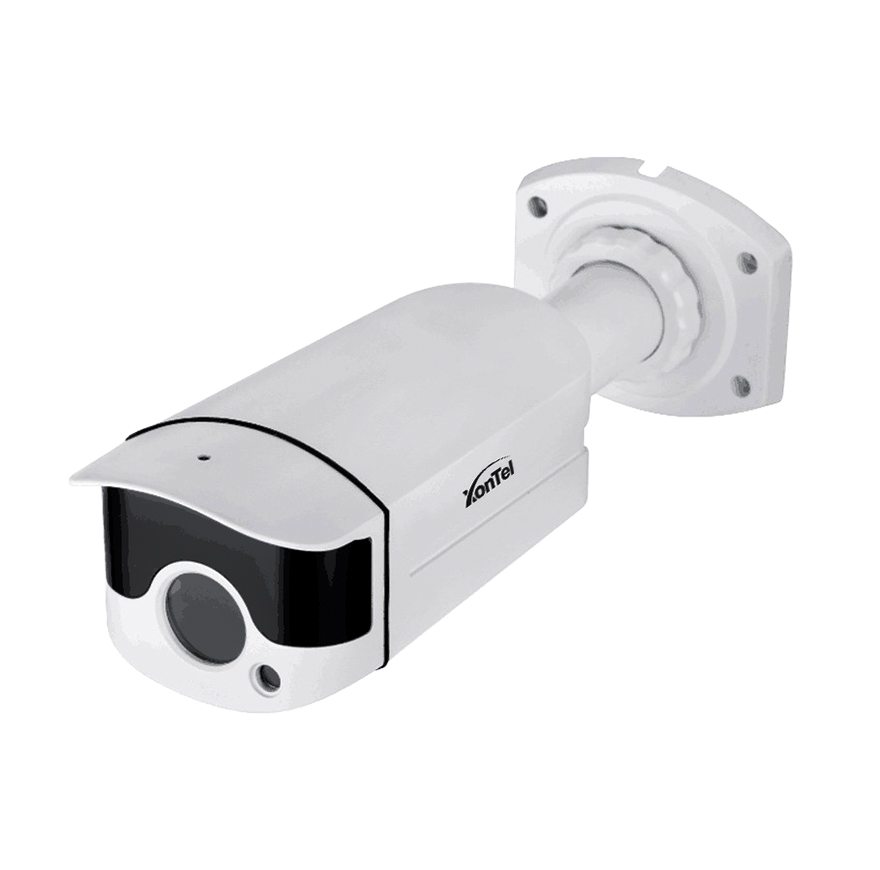
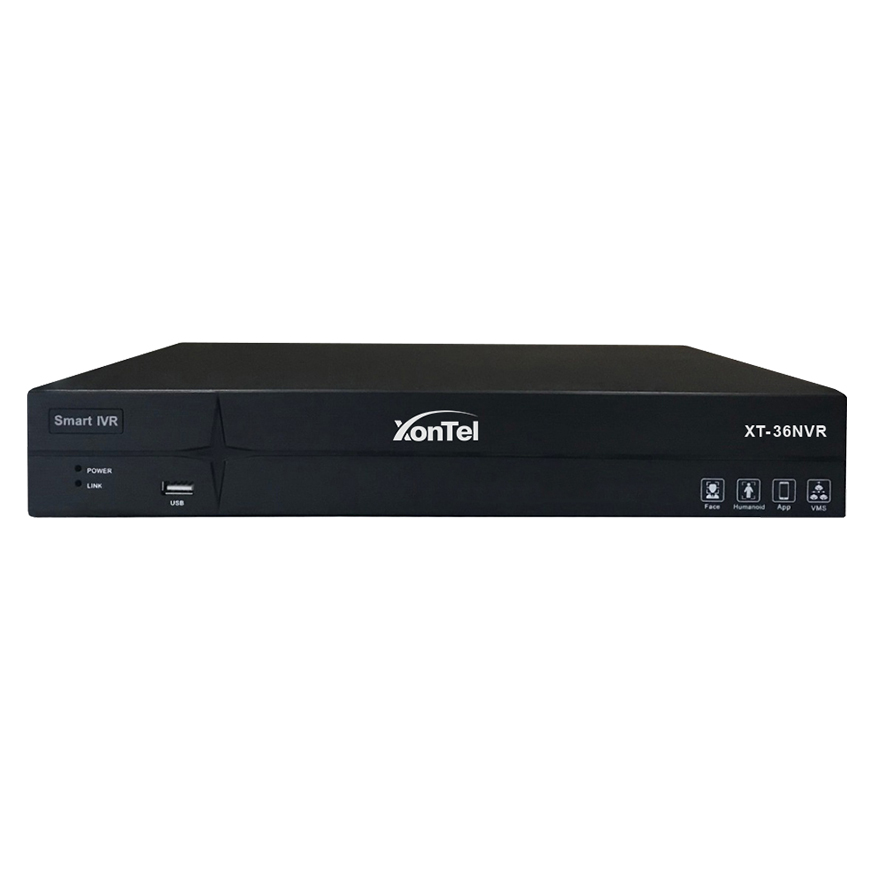
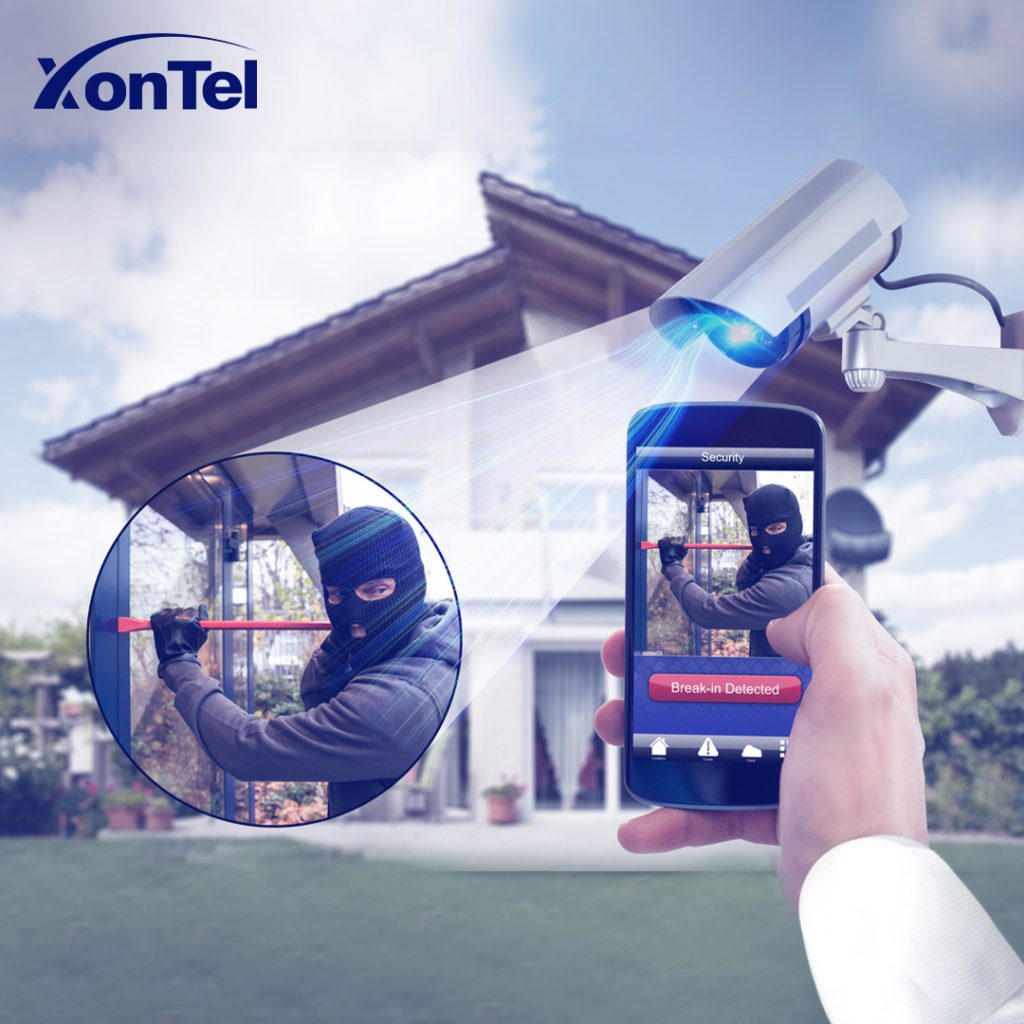
When it comes to the safety and security of your business, video surveillance and CCTV cameras are essential. Here are 15 benefits and reasons for video surveillance. If your business or company does not have a surveillance camera system, you need to reconsider.

Xontel provides the latest technology in surveillance cameras that competes with its global counterparts at competitive prices. It also provides a professional and highly efficient support team to understand and meet the needs of all its customers with high accuracy and efficiency.

For more information, contact us now Click here.

Related products:
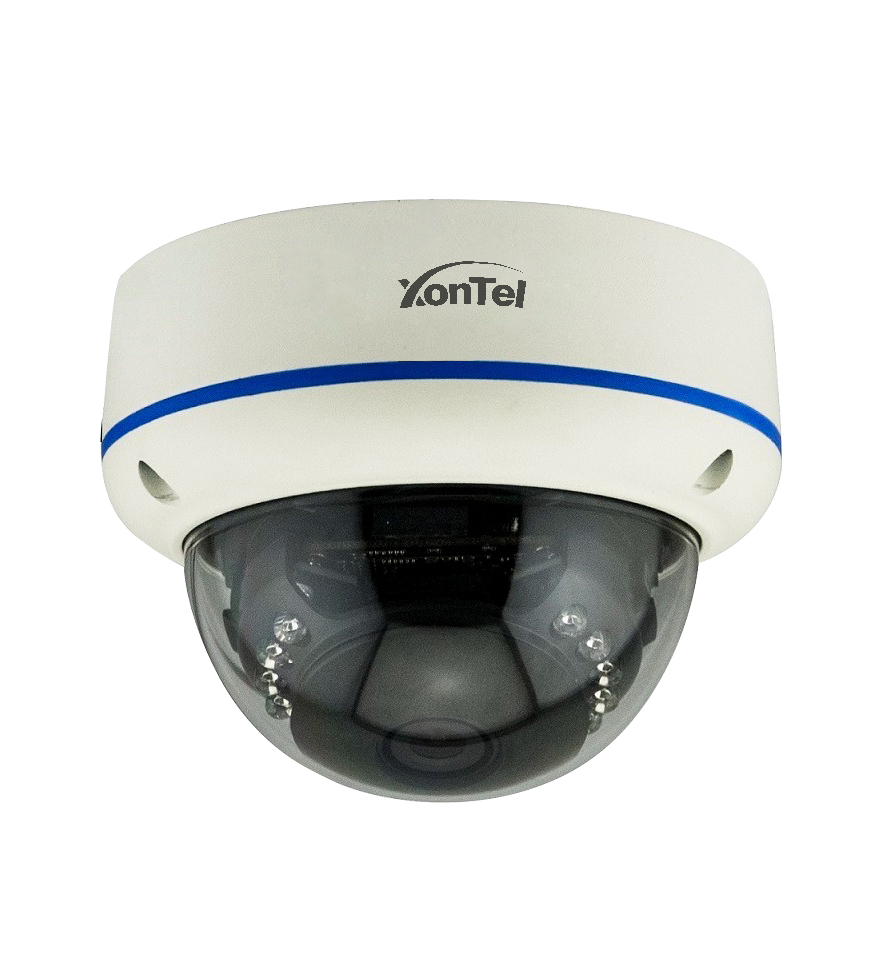
Frequently Asked Questions (FAQ)

What is the importance of installing surveillance cameras in businesses?

Installing surveillance cameras in businesses helps strengthen security, monitor daily activities, reduce theft and vandalism, and document incidents when they occur. Surveillance cameras also allow business owners to monitor the facility remotely and verify how work is progressing.

How do surveillance cameras help prevent theft?

Having surveillance cameras in visible locations helps deter internal and external theft attempts, since people are less inclined to commit violations when they know the location is under video surveillance. Recordings also help determine what happened and identify the people involved.

What is the difference between surveillance cameras and integrated security systems?

Surveillance cameras capture and record events inside and outside the facility, while integrated security systems include additional solutions such as alarm devices, access control, motion sensors, fire detection devices, and facial and license-plate recognition systems.

How does video surveillance help resolve disputes and complaints?

Video surveillance provides a visual record that can be reviewed to verify customer complaints, incidents, disputes between employees, or claims of mistreatment. This helps management make decisions based on clear evidence rather than relying on conflicting accounts.

What is the best resolution for business surveillance cameras?

The suitable resolution depends on the size of the location and the purpose of filming. Full HD resolution may be suitable for general monitoring, while 4MP, 5MP, or 4K resolutions are more suitable when fine details like faces, license plates, or financial transactions need to be visible.

Can a business be monitored remotely via phone?

Yes, most modern video surveillance systems allow live streaming and previous recordings to be viewed from a phone or computer. A business owner can also receive instant alerts when unusual motion or activity is detected.

How do I choose the right video surveillance system for my company?

You should first determine the size of the location, the number of entrances and exits, sensitive areas, the required level of detail, the recording retention period, and the ability to view remotely. After that, you can determine the number, type, and resolution of cameras, storage capacity, and any additional security systems needed.

How can a surveillance camera system be protected from hacking?

Default passwords should be changed, strong passwords used, camera and recorder software updated, remote access restricted, and two-factor authentication enabled when available. It’s also preferable to put surveillance cameras on a separate network and bring in a specialized team to secure the system.
call2action-En

For more information about XonTel products and services, leave your data and one of our specialists will contact you

What is a access point (network distributor)?

Posted on: March 27th, 2023 by xontel_admin

What is an access point?

In recent few years, with the significant development of the Internet and the support of most modern devices to access the Internet, Wi-Fi (wireless network) has become important in daily life, and One of its indispensable basics, and everyone in deep need of this network and its coverage wherever he is, including open places, airports, stadiums, shopping malls, hotels, and stores, etc.

With so many options for routers, there are other devices that help wireless networks reach greater range and coverage, such as range extenders or Signal boosters, network hub devices, or wireless access points.

In this article, we review the differences between an access point, a network booster, and a router

What is the access point (network distributor)?

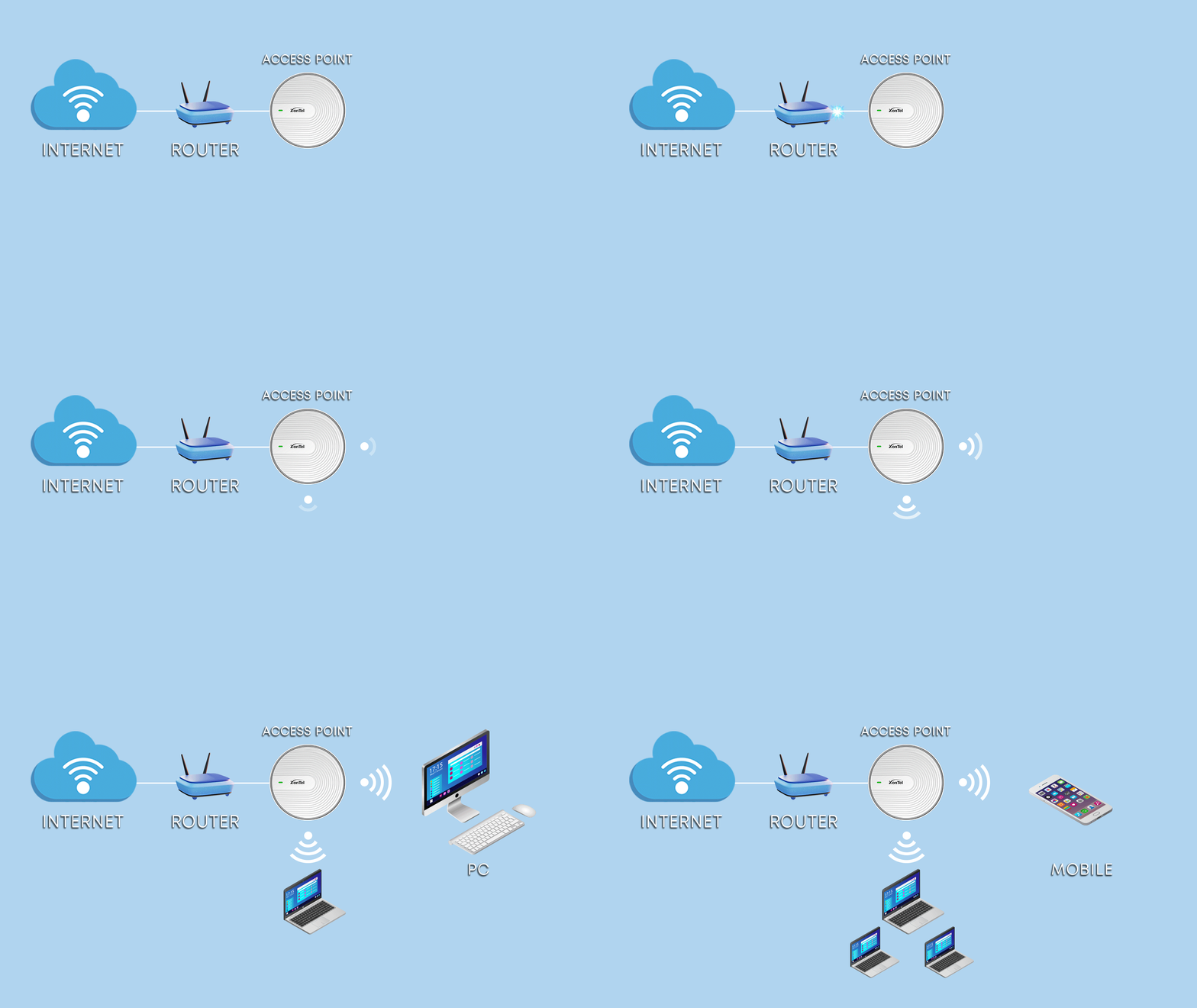
Wireless Access Point is a device that collects all wireless devices located in a place and connects them via wires to the main network to achieve communication between wired devices and wireless devices.

Multiple network hubs can also connect with each other to create a larger network, allowing more wireless devices to stay connected over a larger area.

مقوي الشبكة - موسع النطاق

What is a network extender (range extender)?

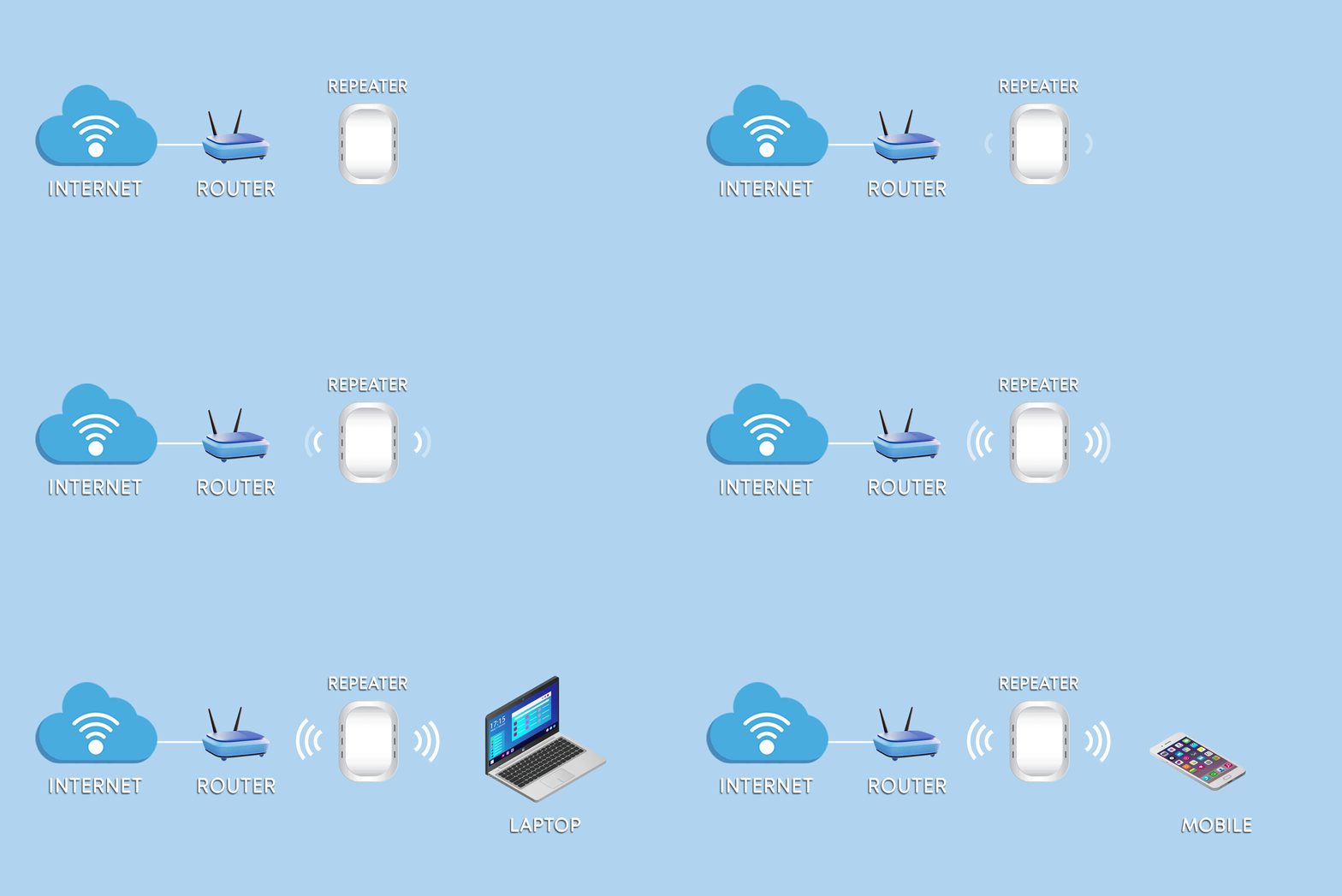
As for the network extender or range extender or Repeater, the function is to expand the coverage of the wireless network using transmitters by placing it within the range of the original network, programming it within the original network settings, and adjusting the private wireless network settings in order to cover the largest possible area of ​​​​homes and companies and solving the multiple connection issues, which occur due to the long distance between the devices that operate wireless Wi-Fi from the main transmission source.

What is a router?

A router is a network device that allows communication between the local home network and the Internet

Modern routers support taking the Internet signal and distributing it to the internal network, whether it is a wired or wireless network or both.

It is connected to another access point to start its distribution, where the access points are responsible for distributing the signal.

In general, an access point cannot be used as an Internet router, but the opposite is true, so a router can be used to act as an access point.

How to choose a suitable access point for your home or company?

There are several points that must be taken into consideration before choosing the appropriate access point, the most important of which are:

The manufacturer of the access point:

Many companies produce access points, such as Cisco, D-Link, and Huawei, but they are flawed by the exorbitantly high prices and the difficulty of configuring them, as in Cisco, for example – and there are other models such as Xontel access points that offer the same efficiency at the best price and technical support available around the clock and in the Arabic language.

Permanent update:

One of the most important factors is the existence of a permanent update from the manufacturer for the product, so obtaining an access point that supports updates for the operating system is important, and the longer the manufacturer issues periodic updates, the better.

Device support and installation:

The ability to help and technical support and the ease of making settings and easy configuration is one of the most important factors in favoring the Access Point model over the others because it helps you manage and control your network better and easier, so the easier and simpler the settings, the better it will be for the user.

Thus, we have reviewed the most important differences between the three devices and the use of each of them.

Xontel provides the latest technologies to compete with its international counterparts at competitive prices. It also provides a professional and highly qualified support team to know and meet the needs of all its customers with accuracy and high efficiency. It is the best choice.

For more information about Xontel Access Point devices, click here

Frequently Asked Questions (FAQ)

What is an access point (network distributor) and how does it work?

An access point (wireless access point) is a network device whose primary function is to connect wireless devices to the main network via wires, allowing wired and wireless devices to be combined into a single network. Multiple access points can also be linked together to cover very large areas and maintain a stable connection for a large number of users.

What is the main difference between an access point and a range extender (network booster)?

The technical differences between the two devices are as follows:

  • Access point (network distributor): connects to the main network via wires (cables) to create a new wireless broadcast point with a high, stable signal strength.
  • Range extender or network booster: relies on wirelessly picking up the existing Wi-Fi signal and rebroadcasting it to expand coverage and address weak signal areas far from the main router.

Can a router be used as an access point?

Yes, a router can be used to function as an access point to distribute internet, whereas a range extender or access point cannot be used as a main internet router, since an access point primarily relies on receiving the internet signal from a router or network switch.

Which is better: an access point or a range extender?

The choice depends on the nature of the location and how the network is set up.
An access point is usually the better choice in companies, hotels, and large homes when a network cable can be run, as it provides better stability and performance. A range extender suits simpler cases where running new cables is difficult.

Does an access point increase internet speed?

An access point does not increase the speed of the internet package itself, but it can improve connection quality within the location by providing a stronger, more stable signal and reducing the distance between the device and the connection point.
The final speed depends on the internet speed, the type of access point, the Wi-Fi standard, the number of users, and the quality of the internal network.

Can more than one access point be installed in the same location?

Yes, multiple access points can be installed to cover companies, hotels, complexes, and large homes.
The devices should be distributed in a well-planned way, with channels and transmission power adjusted to reduce interference and provide a smoother transition for users between coverage areas.

What are the basic criteria for choosing the best access point for homes and businesses?

When choosing a suitable access point, the following factors should be considered:

  • Manufacturer and price: looking for brands that offer high efficiency at reasonable prices, such as Zontel devices, known for continuous round-the-clock Arabic technical support compared to expensive brands.
  • Regular updates: ensuring the manufacturer continues to support operating system updates to guarantee security and efficiency.
  • Ease of setup and support: choosing devices known for easy configuration and management to simplify control of the home or office network.

Is an access point suitable for open spaces?

Yes, outdoor access points exist that are designed to work in gardens, playgrounds, warehouses, parking areas, and open spaces.
Devices resistant to dust, water, and weather conditions should be chosen, taking into account the area’s size, obstacles, and installation location.

call2action-En

For more information about XonTel products and services, leave your data and one of our specialists will contact you

How can you turn your home into a smart home?

Posted on: October 21st, 2022 by xontel_admin

With the development of technology in general and communication technology in particular, artificial intelligence has become an essential element all over life these days – we hear about the smartphone, smart TV, smart car, etc., and it was logical for artificial intelligence to extend to homes so that “smart home” appears and is widely circulated these days.
What is a smart home, what are its specifications and components, and how can you turn your home into a smart home? This is what we show here in this article

The smart home is the integration between technical, artificial intelligence, and architecture so that the end result is a house with distinctive specifications that gives the owner a higher quality of life.

The concept of an intelligent home indicates that you are able to adjust the various devices in your home and turn the house into a smart home in order to improve your electricity consumption by organizing and programming them to fit your privacy and your lifestyle.

This new technology revolution gives you more time to enjoy with family and friends in your daily life, thanks to solutions provided by home automation.

What are the components of a smart home? and How to turn your home into a smart home?

There are many basic components of any smart home that provide you with comfort and security, in addition to the economic advantage that a smart home enjoys in saving energy, such as adjusting the indoor and outdoor lights for the home.
There are many forms of smart homes, for example: 

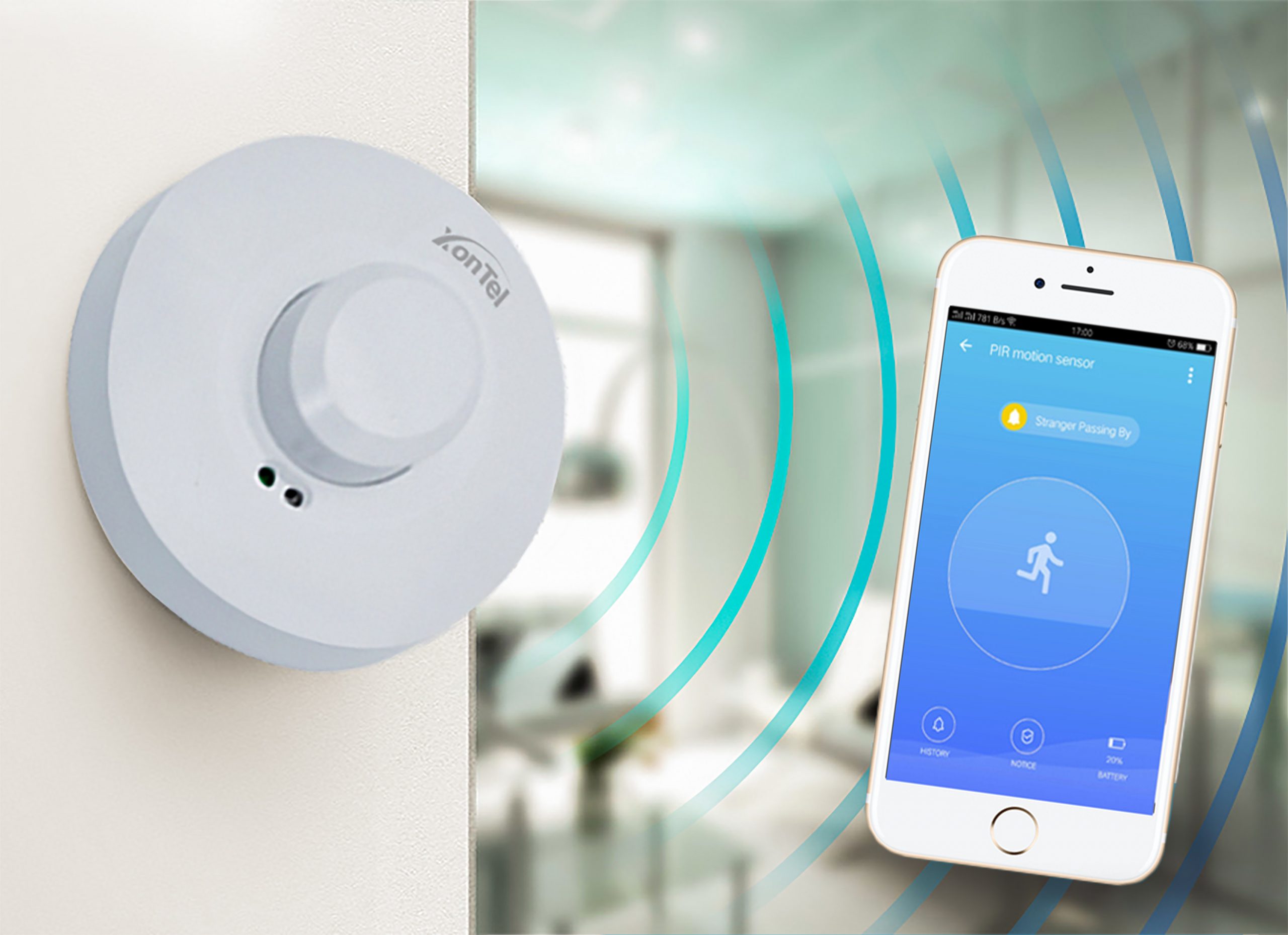
Motion sensor or Motion detector:

A motion light sensor is an electronic sensor that detects the infrared rays emitted by any object passing through its sensing range.

It is used to detect the movement of a living organism (human or animal), which emits infrared radiation due to its body heat. Where it indicates the presence of movement or not. This sensor is used in burglar alarm systems and in lighting systems that automatically turn on when someone enters a room.

مستشعر-الحركة-motion-detector
light-switch

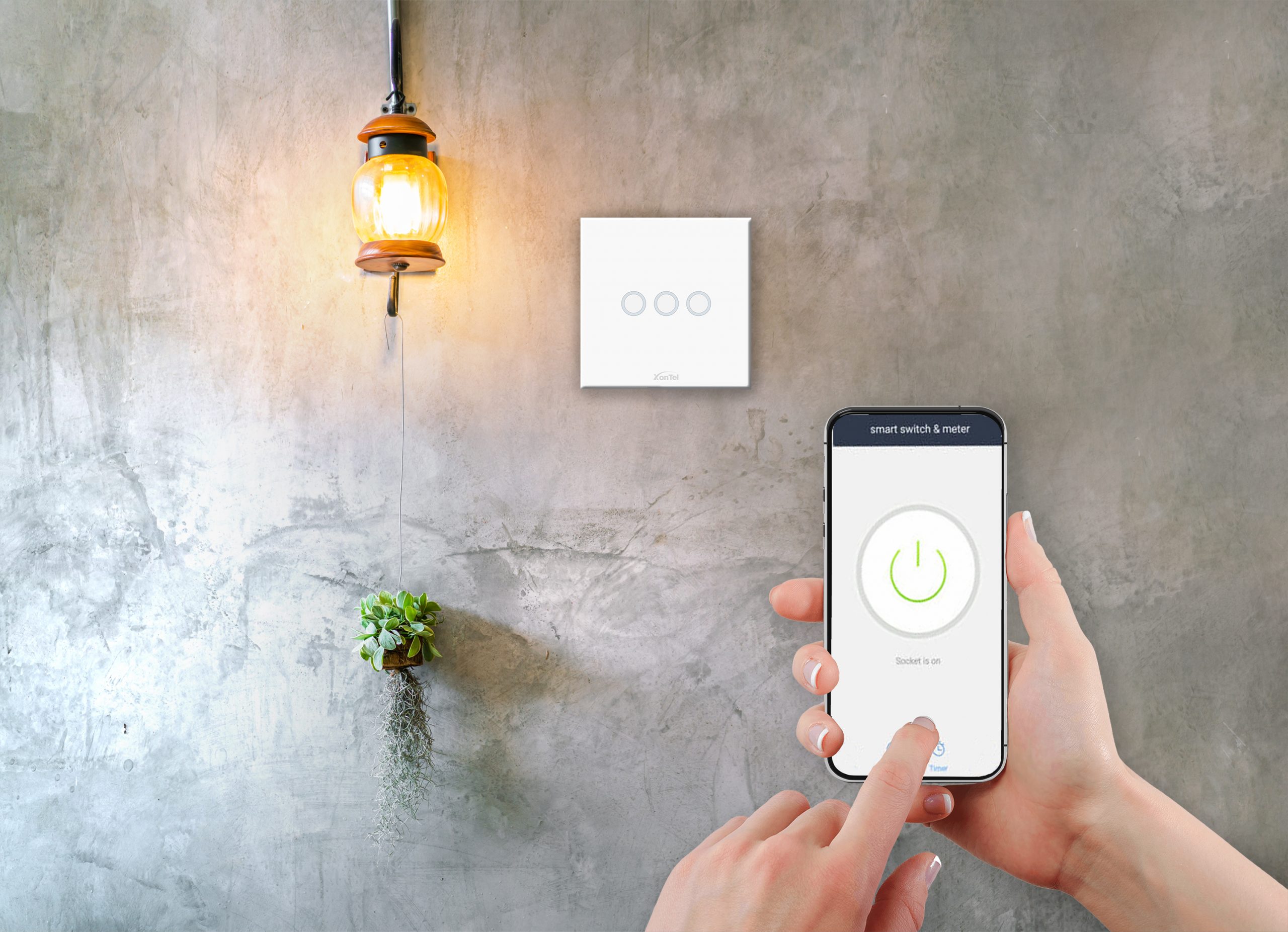
Smart light switch:

The smart light switch in the home is one of the important and necessary things now, especially if you have a large number of light bulbs because these smart switches allow you to control and integrate all of those lamps in your smart home, and of course, smart light switches have many advantages over traditional switches.

The most important of them is that they are connected to the internet and so you can control them from your smartphone. Besides, these smart light switches can be programmed to turn on and off according to a schedule.

Curtains Control:

With the Smart curtain controller, you can control the curtains at any time and from anywhere, using your smartphone, tablet, or any computer via the mobile app, and enables you to set schedules for your home automation to open and close the curtains at specific times, Control the curtains in groups or individually from anywhere, and you can open and close the curtains with voice commands using Google Assistant, Siri or Alexa.

كاشف-الدخان-والحرائق

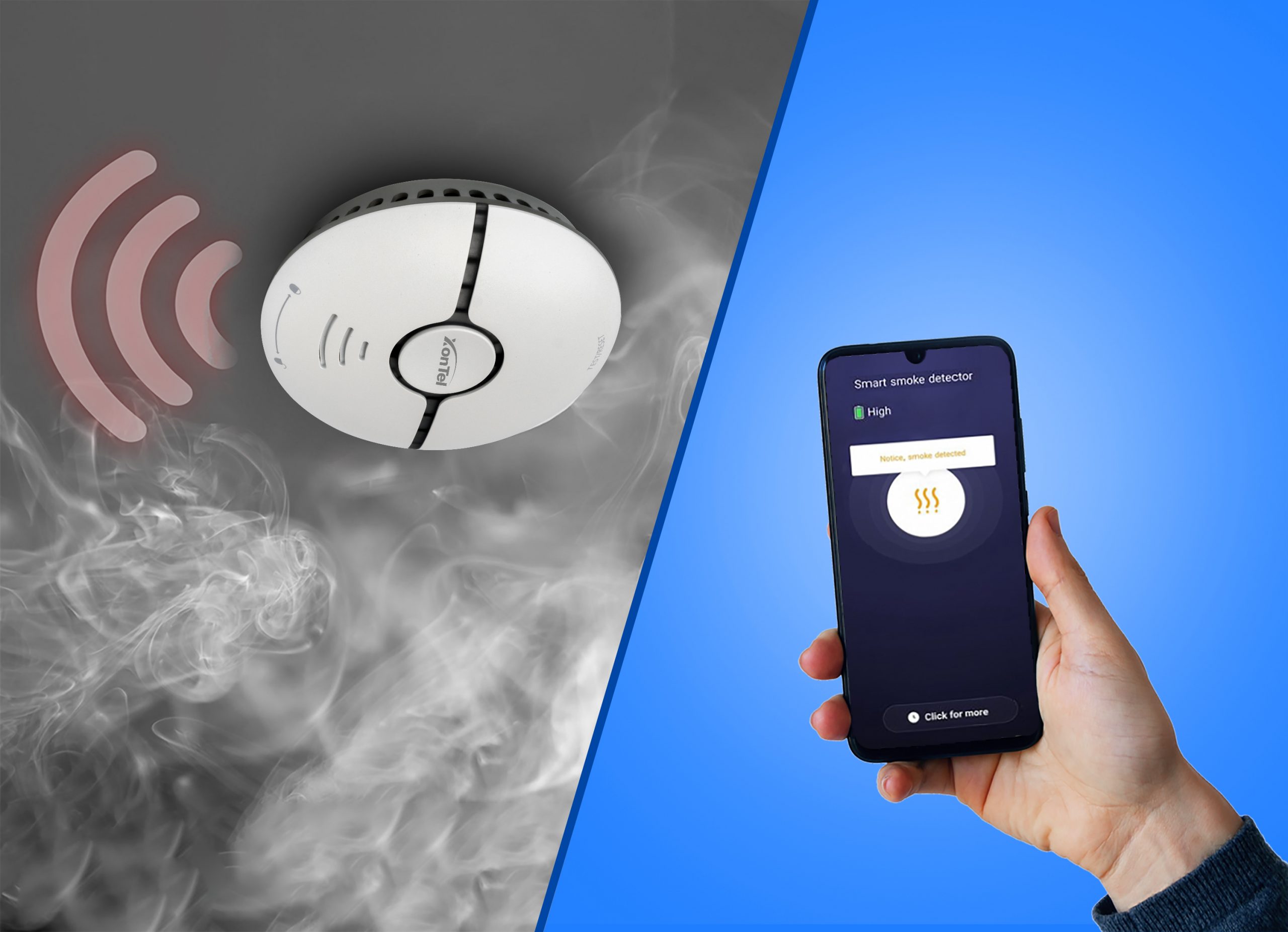
Smoke and Fire Detector:

A fire smoke detector is a small device that is installed in high places inside buildings to detect smoke, heat, flame, or fire at its beginning.

Smoke detector plays an important role in detecting fires fastly so that the fire can be fought and the site evacuated before the fire spread to extinguish it in a timely manner.

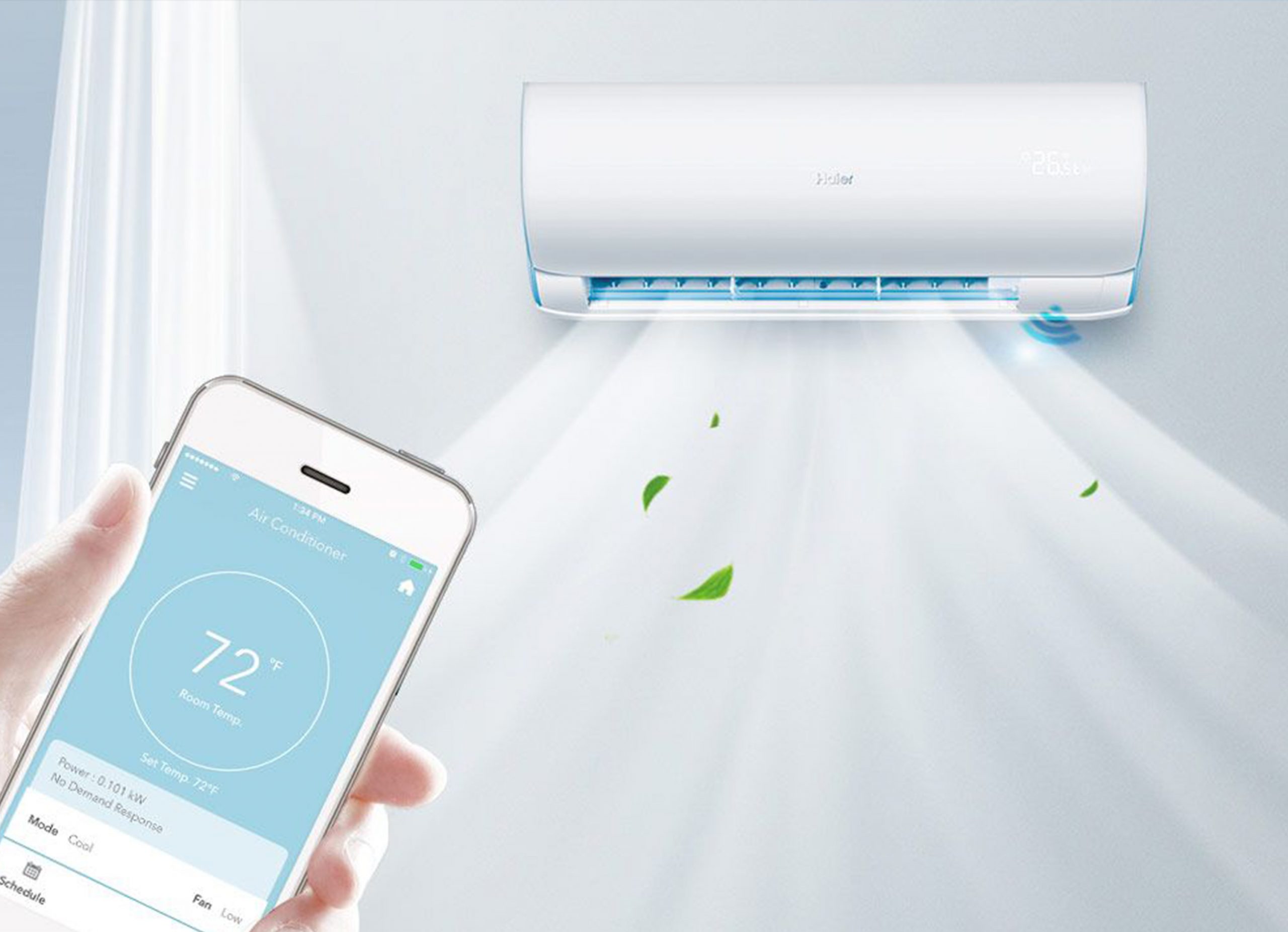
Smart air conditioner control switch:

A smart air conditioner control switch is a device that enables you to control your air conditioning device through the Internet from outside your home. For example, if you go out of the house and are not sure that the air conditioners are turned off, you can make sure that it is closed through the application and the smart air conditioner control switch.

Also, you can turn the air conditioner on before you return home, and you can adjust the temperature of the house to your preferred degree.

التحكم-في-التكييف
فتح-ابواب-الجراج-garage-door

Smart garage door controller:

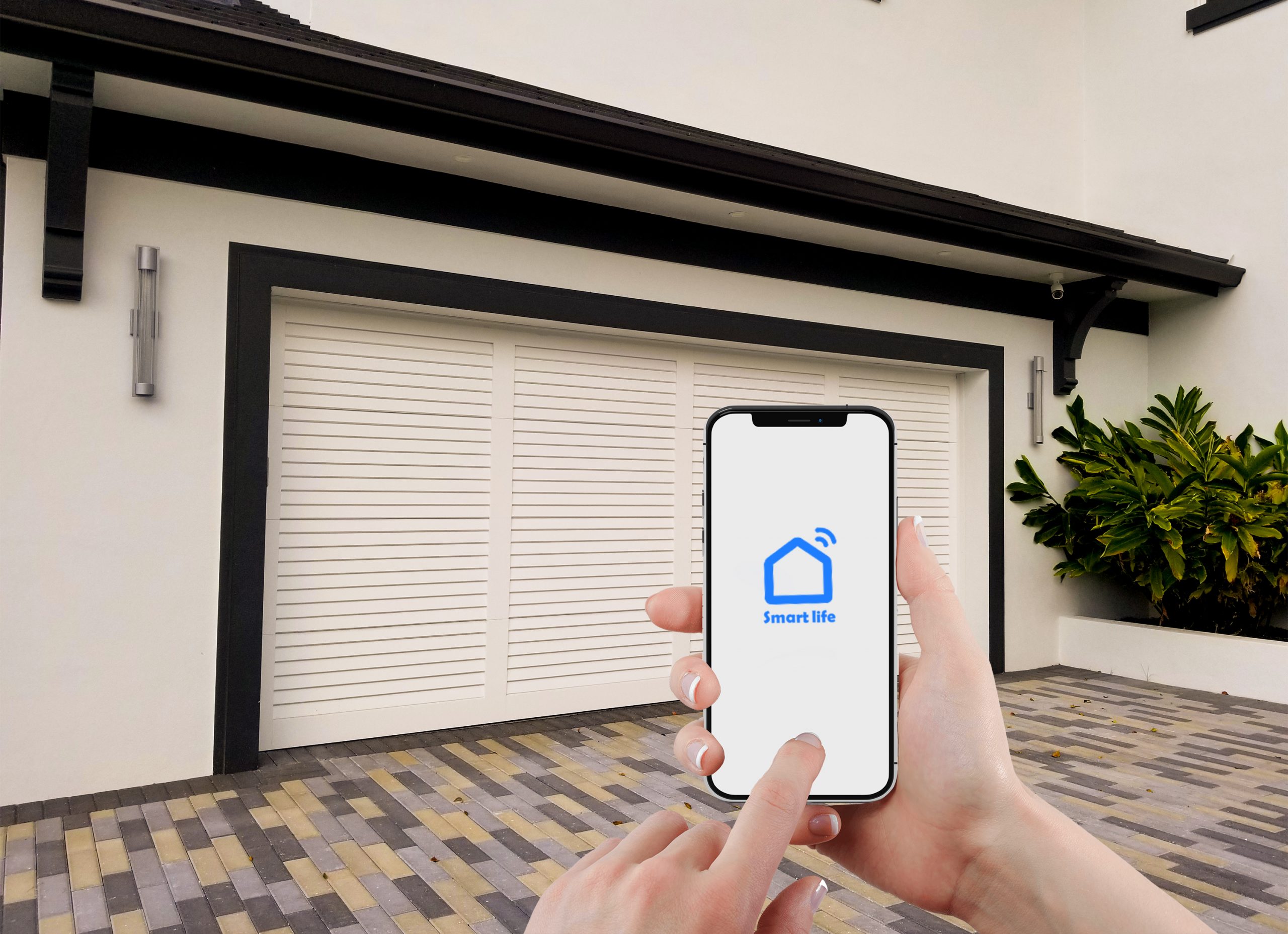
A smart garage door controller device that enables you to control the garage doors in a smart way compatible with the Wi-Fi system so that you can monitor and control the door and make it work automatically by your smartphone through the application and voice assistants Alexa and Google Home Assistant.

A new lifestyle has already begun to spread on the ground to turn the house into a smart home.

The idea of ​​the smart home is to automate the devices and equipment and connect them to a remote control. It will often be an application on the phone, or the smart assistant, for example, Siri for iPhone, Alexa for Android, and others.

These devices are connected to each other via a simple connection to Wi-Fi or the Internet of Things that gives you control of lighting and home security, turning on the water heater, controlling room temperature by managing the air conditioner, and much more.

One of the features of the smart home, in order to turn the house into a smart home, is to get what you want through voice commands, it can be as simple as Talking to the phone assistant: “Alexa turn on the living room light”, The command passes from the phone to the light switch in Now and then, with ease.

To transform the traditional home into a smart home, there are many home appliances whose installation and connection to the Internet have become accessible to everyone.

You can connect a large number of products to the control system separately, there are controls for the front door, garage door, solar panels, coffee maker, kitchen appliances, speakers, etc.

What are the advantages of a smart home?

Are you thinking of installing new technology in your home and turning your home into a smart home and wondering what advantages you can get?

Here is an overview of the top 4 Smart Home features that will improve your daily life in different ways.

1. Providing protection for the family, home and valuables:

There are alarms that send notifications to your phone in case of theft or any attempt to gain unauthorized access. Surveillance cameras (CCTV) installed inside and outside the house can also be monitored on your phone screen to be aware of everything hovering around the house during your absence, work or travel, notifying you of the arrival of children from school and other security options.

2. Control all home devices while you are comfortable on the sofa:

Artificial intelligence helps you to multitask to turn your home into a smart home, for example preparing your morning coffee with just a voice order. It also facilitates daily work with smart vacuum cleaners and window curtains that open automatically as programmed.

3. Optimizing Electric Power Consumption:

Smart living means not only more comfort but also less energy use: automatic lighting control adjusts brightness according to the time of day. On the other hand, room temperature controllers will ensure that the heating is turned on only when necessary. This way, you can save money in the long term and protect the environment, to give you a rough idea: smart homes consume between 20 and 40 percent less energy than traditional homes.

4. More entertainment and comfort:

Imagine you are lying in bed relaxing and listening to your favorite playlist.

After a while, you started to feel a little cold, and you don’t like the idea of leaving your bed to increase the temperature.

Simply set the temperature with one finger on your smartphone. It will only take a few minutes for you to warm up the room.

Now after you have got some ideas about the specifications and features of a smart home and want to turn your traditional home into a smart home, have you decided which of the smart home components your priority are? We can help you plan and choose the most suitable for you according to your budget, it is enough just to contact us to provide you with a free consultation.

XonTel is considered the pioneer of companies in the Arab world that provides solutions suitable for the smart home to help you benefit from the advantages of the smart home with the latest technologies that compete with their global counterparts at competitive prices in the Arab markets.

Frequently Asked Questions (FAQ)

What is a Smart Home?

A smart home is a home containing connected devices and systems that can be controlled automatically or remotely via a smartphone or voice commands, such as lighting, curtains, air conditioning units, security systems, and smoke detectors.

Can a traditional home be converted into a smart home without completely changing the wiring?

Yes, in many cases a traditional home can be converted into a smart home using smart devices and switches that work over Wi-Fi or through a central control unit. However, some solutions may require minor modifications to the electrical wiring depending on the type of devices and system used.

What are the most important components of a smart home system?

The most important components of a smart home system include:

  • Smart light switch.
  • Smart curtain control.
  • Smoke and fire detector.
  • Motion sensor.
  • Air conditioning control.
  • Smart locks and doors.
  • Surveillance cameras and alarm systems.
  • Central control unit and phone app.

Can smart home devices be controlled from outside the home?

Yes, internet-connected devices can be controlled from outside the home via a phone app, such as turning on the AC, turning off lights, or checking the status of doors and surveillance cameras, provided there’s a stable internet connection.

How can a home be converted into a smart home?

A home can be converted into a smart home by installing smart devices compatible with a unified control system, such as smart light switches, air conditioning controllers, curtain motors, motion sensors, and smoke detectors, then linking them to a phone app or a central control unit.

Does a smart home system work with voice commands?

Yes, a number of smart home devices can be linked to compatible voice assistants such as Google Assistant, Amazon Alexa, and Apple Siri, allowing control of lighting, curtains, air conditioning, and more through voice commands.

How does the smart system help rationalize consumption and save energy?

A smart home significantly reduces electricity consumption by:

  • Automatically adjusting lighting brightness and activating it only when needed or via motion sensors.
  • Turning air conditioning and heating on and off based on schedules or the presence of people in rooms.
  • The ability to remotely control and confirm electrical devices are turned off if forgotten, saving money in the long run and protecting the environment.

What is the difference between a smart homech and separate smart devices?

Separate smart devices usually work through different apps, while an integrated smart home relies on connecting devices to a single system, allowing automatic scenarios that combine lighting, curtains, air conditioning, and security.

call2action-En

For more information about XonTel products and services, leave your data and one of our specialists will contact you

What is Power over Ethernet PoE?

Posted on: October 15th, 2022 by xontel_admin

Power over Ethernet, or what is known as PoE technology, is a pretty new technology, which can simplify settings using PoE switchs and reduce the cost of IP devices, such as phones, CCTVs, Speakers and other devices, which mainly rely on IP technology in their work.

If you don’t know much or want more details about Power over Ethernet technology, or why should you invest in PoE technology?

In this article, we will answer some frequently asked questions to explain PoE technology and its benefits.

ما هي تقنية PoE

What is the powering via the internal network or via Ethernet?

Power over Ethernet (PoE) is a method of powering and connecting cables and electricity via an Ethernet cable connected to a switch in an internal network (LAN), Instead of using an adapter or electrical supply to turn the device on, and of course the switch must support the power supply feature of the devices, PoE technology can deliver up to 15.4W from each switch output.

How does Power over Ethernet or PoE work?

Ethernet cables can carry electrical side by side with data transition, which is sent simultaneously using separate wires.

So, PoE enables devices to receive electricity and data from one single Ethernet cable, while devices that do not support PoE power, only receive data.

When any PoE device is connected to the local network via an Ethernet cable, it is automatically identified by the power-supplying switch and immediately starts sending power to that device. Conversely, if a device does not support PoE power supply, data is sent only to that device.

What devices are compatible with or powered by PoE technology?

What cables should I use to powering PoE?

Any cables will enable you to supply power over the network, but of course it is preferable and recommended to use Category 5E (Cat 5e) or Category 6 (Cat 6) cables.

What is PoE+?

PoE+, is the second generation of power supplies, which can deliver up to 25.5W of power, which is nearly the double of the original generation, enabling more devices to run.

What are the benefits of Power over Ethernet PoE technology?

This technology provides many economic benefits and operational efficiency for all companies of all kinds.

Xontel provides the latest technologies to compete with its global counterparts at competitive prices.

It also provides a professional and highly qualified support team to know and meet the needs of all its customers with accuracy and high efficiency, and it is the best choice.

For more information, contact us now by clicking here

Resources

Frequently Asked Questions (FAQ)

What is PoE technology?

PoE, or Power over Ethernet, is a technology that allows data and electrical power to be delivered to a device through a single Ethernet network cable, without needing to connect the device to a separate power source.
The technology is used with various devices such as IP phones, surveillance cameras, wireless access points, intercom devices, and network speakers.

How does power delivery over the internal network work?

PoE technology works by sending electrical power and data over the same Ethernet cable between the switch and the device connected to the network.
A PoE-compatible switch first checks that the device supports receiving power, then determines the appropriate power level before powering the device, which helps reduce the chance of supplying power to incompatible devices.

Is PoE technology safe for devices that aren't compatible with it?

Yes, standard PoE technology is generally safe when using switches and devices compliant with IEEE standards.
The switch detects the connected device before sending power. If it doesn’t recognize a PoE-supporting device, it sends only network data without supplying power. Caution should be exercised with non-standard passive PoE equipment, as it may send power without performing this detection process.

What is the maximum distance PoE technology can operate over?

Standard PoE technology typically operates within the usual limit for copper Ethernet networks, which is approximately 100 meters between the switch and the device.
When longer distances are needed, a PoE extender can be used, another switch can be added, or fiber optic solutions with suitable converters can be used.

Can regular Ethernet cables be used with PoE technology?

Suitable Ethernet cables such as Cat 5e and Cat 6 can be used with PoE systems, provided the cables are genuine, good quality, and properly installed.
It’s preferable to use Cat 6 or higher cables when powering devices with high power consumption, or when there are large cable bundles, to reduce power loss and heat buildup.

What devices can be powered using PoE technology?

PoE technology can be used to power many network-connected devices, including IP phones, surveillance cameras, wireless access points, intercom devices, SIP headsets, and some smart lighting and control devices.
However, it’s necessary to ensure the device is compatible with the PoE standard and that the switch can supply the amount of power the device needs.

Does PoE transmit electricity and internet at the same time?

Yes, PoE technology allows data and electrical power to be transmitted simultaneously over a single Ethernet cable.
This doesn’t necessarily mean reduced network speed, since the technology is designed to deliver power without disrupting connection data when using cables and devices that comply with the standards.

What are the benefits of using PoE technology in businesses?

PoE technology helps reduce the number of wires and power outlets needed, makes it easier to install devices in locations where a power source is hard to provide, and reduces installation and maintenance costs.
It also simplifies centralized device management, remote rebooting from the switch, and connecting devices to a backup UPS power source to ensure continued operation during power outages.

call2action-En

For more information about XonTel products and services, leave your data and one of our specialists will contact you

Types of CCTV or IP cameras and their importance in our contemporary life?

Posted on: October 15th, 2022 by xontel_admin
camera cover

Surveillance cameras or CCTV or IP Camera vary according to the places of its installation and the goals of installation.
The importance of surveillance cameras in our time is undeniable, as their presence has become commonplace in all public places, shops and homes.
CCTV or Surveillance cameras are used to monitor people’s movements, prevent crime before it occurs, and record it at the time of its occurrence so that the competent authorities and the police can identify the perpetrators and arrest them.
The role that CCTV cameras and video surveillance systems play in improving the safety and security of people and protecting property, and a lot of countless other functions, which we will talk about in this article, and then move on to reviewing their types.

Types and benefits of surveillance cameras (CCTV):

When it comes to public safety and security, video surveillance and security cameras are a must.

As we find them today almost everywhere, from nurseries to homes and villas indoor and outdoor, in offices, companies, workplaces, shops, hospitals, airports, streets…etc.

Yes, the most popular benefit of CCTV cameras is surveillance, but did you know that there are more than 15 benefits of these cameras,

You know them in the next paragraph.

The importance of installing security cameras in all places:

The places of their installation may vary, but they have common benefits, which are the goals that attract people to install them, which are represented in the following points:

  • Monitoring homes and what is going on around them during the period of absence, and determining the identity of the criminal if any break-in or theft occurred.
  • Deter the criminals and try to keep them away before they commit their ugly crimes.
  • CCTV Security cameras are located in the streets of cities to help in monitoring the behaviour of criminals, identifying their identities and arresting them.
  • Video surveillance cameras or Video CCTV can help prevent shoplifting.
  • It can prevent the theft of employees inside companies and offices.
  • Monitoring the workflow of employees and whether there is any inaction in the performance of their duties, which leads to productivity improving.
  • Video surveillance or Video CCTV can increase business profits thanks to the increase in work quality and productivity.
  • Reduce scams and fraud in shops.
  • Security cameras (CCTV) located in the streets and various public facilities, can reduce the risk of vandalism.
  • The presence of cameras inside your shop gives a good impression to customers that you care about their safety.
  • Peace of mind of the project manager all the time.
  • Avoid legal claims of fraud, which some customers claim, and to avoid project owners some problems, they can return to the cameras to find out exactly what happened with the customer.
  • Security cameras (CCTV) reduce the need to hire additional security personnel.
  • Cost effective and easily scalable.
  • Video surveillance or CCTV can reduce financial losses and identify and deter theft threats before they occur.

In fact, we have tried to limit the basic benefits provided by surveillance cameras (CCTV) at the personal and commercial levels, and here the question: What are the types of surveillance cameras (CCTV)? Keep reading to find out.

Types of surveillance cameras (CCTV) and the best ones:

If you are planning to get a security camera for your home or workplace and you are asking yourself “What kind of CCTV camera should I buy?

Read the article to the end so you can decide what kind of camera you want.

There are many surveillance CCTV cameras, and each one has its own shape, features, and uses, but we will talk about two main types of surveillance CCTV cameras:

  1. The first is Analog CCTV that was used before the great spread of the Internet, and these cameras still exist today, and it works quite differently from the second type.
  2. IP CCTV Cameras, it is an advanced Security Cameras Today, digital CCTV cameras are more advanced than the old CCTV models, and the main difference in IP CCTV cameras is how to transmit data via digital signals through the Internet.

But there is also many features CCTV cameras which are connect to the interne.

These features give business owners new ways to monitor their business and deter malicious activity.

Here is what you should know about analog CCTV cameras vs IP cameras.

IP CCTV Features:

CCTV IP cameras provide the following features:

  • The video quality is higher than that of its old-fashioned models, and it also offers a wider range of view and better zoom capabilities without losing image quality.
  • The usage of digital signals allows for the recognition of faces with great accuracy.
  • IP CCTV digital cameras provide a resolution of up to 20 times greater than Analog CCTV.
  • The digital cameras works with a stronger encryption, compression and protection of transmitted data,
  • Transfer media: The traditional models rely on a cables, while digital cameras transfer files wirelessly, which is faster and better over a long distances without quality loss concerns.
  • IP CCTV works intelligently and can be managed remotely, and segment the sent items to different recipients, with each receiving pre-set data.
  • Easy installation, IP CCTV cameras do not require a lot of wires and drilling, unlike Analog CCTV where each function such as audio, video and control may require a separate cable.
  • Easy development, the ease of installation increases the ease of expanding the network of cameras, without the complications of many wires and others.
  • The cost: It is believed that digital IP cameras are more expensive, but given the advantages of less installation and low equipment and labor costs, the price seems appropriate.

As most of tech equipment, there are advantages and disadvantages of each type of surveillance camera, and what affect your choice is the purpose of installation and the budget, but the best is IP CCTV to get the required effectiveness.

XonTel provides the latest technologies to compete with its global counterparts at competitive prices.

It also provides a professional and highly qualified support team to know and meet the needs of all its customers with accuracy and high efficiency, and it is the best choice.

For more information about the available surveillance CCTV cameras, contact us now by clicking here

Frequently Asked Questions (FAQ)

What are surveillance cameras?

Surveillance cameras are devices used to capture and record video for the purpose of monitoring people and places and protecting property.
Surveillance cameras are used in homes, stores, businesses, warehouses, schools, hospitals, and public facilities, with the ability to view recordings live or review them later when needed.

What is the importance of surveillance cameras in our daily lives?

The importance of surveillance cameras lies in enhancing security, deterring theft and vandalism, documenting incidents, and monitoring homes and workplaces.
They also help with keeping an eye on children and the elderly, monitoring workflow, protecting warehouses and property, and providing visual evidence that can be referred to when a problem occurs.

What are the main types of surveillance cameras and what is the difference between them?

Surveillance cameras are mainly divided into two types:

  • Analog surveillance cameras (CCTV Analog): traditional models that rely on wires and analog signals, characterized by their simplicity but limited capabilities.
  • Digital surveillance cameras (CCTV IP): the newer, more advanced generation that transmits data digitally over the internet network, featuring superior video quality up to 4K, a wider field of view, zoom and facial recognition capabilities, as well as easy installation and expansion without the need for complex wiring.

What are the key features of digital CCTV IP surveillance cameras?

CCTV IP surveillance cameras offer a wide range of advanced features, most notably:

  • Ultra-clear image and video quality and a much wider field of view than traditional systems.
  • Support for encryption and high data compression systems to protect privacy and transmitted information.
  • Remote management and control via mobile apps and smart alert notifications.
  • Easy installation and expansion, wirelessly or over the data network, without the complications of extensive wiring.

What is the difference between a DVR and an NVR?

A DVR is typically used with analog surveillance cameras, as it receives video signals and converts them into digital recordings.
An NVR, on the other hand, is typically used with IP cameras, receiving digital video over the data network, which provides greater flexibility in distributing and managing cameras.

Do surveillance cameras work in the dark?

Yes, many surveillance cameras support a night vision feature using infrared or low-light technologies.
Night vision quality varies depending on the camera’s resolution, the strength of the infrared illumination, distance, the lens, and the presence of other light sources in the area.

How long are surveillance camera recordings kept?

The retention period for recordings depends on storage capacity, the number of cameras, video resolution, frame rate, the type of video compression, and the number of recording hours.
The recording method also affects the duration, whether recording is continuous or only triggered by motion detection, so the required storage capacity should be calculated before choosing the recording device and disks.

How do I choose suitable surveillance cameras for a home or business?

The purpose of monitoring, the size of the area, the number of entry points, the required resolution level, and the need for night vision, audio recording, or smart analytics should all be determined.
The installation location (indoor or outdoor), storage from capacity, the connection method, remote viewing capability, and ease of future expansion should also be considered.

call2action-En

For more information about XonTel products and services, leave your data and one of our specialists will contact you

What is an intercom device? (Interphone)

Posted on: October 14th, 2022 by xontel_admin

Dear reader, if you think that the only function of the intercom or IP intercoms is to know who is at the door only, let me correct this information for you, as the intercom is now considered an integrated security system.
Today, these devices are considered a safety and security factor for individuals, especially as they are used to protect homes, villas and companies from strangers, thieves and intruders. Unfortunately, many people are ignorant of these devices, what their importance is and how they are used.

What is an intercom device?

It is a device that is installed on the doors of houses, companies, or villas, and it is a form of communication systems between individuals.

Modern intercom devices are works with advanced IP technology and are installed by connecting them to some modern communication system.

Recently, home intercom devices have begun to spread in residential buildings, villas, companies of all kinds, and in small and large institutions.

What are the Intercom components?

Indoor device:

LCD monitor that lets you see and talk to visitors when you are physically at your home or from anywhere, thanks for the ability to link your mobile phone to the IP intercom device.

The outdoor panel:

It is located outside the property and has a HD camera, a mic, and calling buttons.

Network wires:

It connects the device to the network, and there are modern Models that work without wires (wireless).

Power supply:

Ordinary devices need a power supply, but newer devices get their energy needs through the network.

  • Indoor device:

    LCD monitor that lets you see and talk to visitors when you are physically at your home or from anywhere, thanks for the ability to link your mobile phone to the IP intercom device.

  • The outdoor panel:

    It is located outside the property and has a HD camera, a mic, and calling buttons.

  • Network wires:

    It connects the device to the network, and there are modern Models that work without wires (wireless).

  • Power supply:

    Ordinary devices need a power supply, but newer devices get their energy needs through the network.

The advantages of modern IP intercom devices:

– The possibility of connecting to the modern PBXs that are already inside the company or inside your home in the case of a home intercom system.

– Possibility to record calls with the visitor.

– If you are not at home, you can transfer the visitor’s call to your mobile phone.

– Video intercom devices have the ability to capture the visitor with video in high quality.

– Control the opening and closing of the door through your mobile phone.

– The possibility of following the dates of exit and entry of children in homes or employees in companies.

– Video intercom devices have the feature of supporting night vision.

– Possibility to work without power supply and in different weather conditions.

XonTel is the leading Arab company in the development and production of IP intercoms of all kinds and forms.

To know more information about XonTel IP Intercom systems, Click here.

Frequently Asked Questions (FAQ)

What is an intercom (interphone), and what is its true importance?

An intercom is no longer just a traditional device for identifying who is knocking at the door; it has become an integrated, vital security system used to protect homes, villas, and companies from thieves and intruders, and to provide maximum safety and security for individuals.

What is a home intercom?

A home intercom is a device installed at the door of a house, villa, or building entrance, allowing household members to speak with a visitor, verify their identity, and open the door for them from inside or, in some modern systems, through a phone application.

What is a video intercom?

A video intercom is an intercom system equipped with a camera and screen, allowing the user to see and speak with a visitor before opening the door. It may also offer recording, night vision, alerts, and mobile phone control.

How does a home intercom work in modern buildings and villas?

Modern home intercom devices rely on advanced IP technology and are connected to communication systems and PBXs. They consist of an indoor unit (speaker and microphone) and an outdoor unit at the door, allowing full control over opening and closing doors and easily monitoring entry and exit.

Can the intercom be connected to a mobile phone?

Yes, some modern IP intercom systems support forwarding a visitor’s call to a mobile phone application, allowing the user to speak with the visitor, see them, and open the door even when not present inside the home.

Can the intercom be connected to the PBX?

Yes, IP intercom systems can be connected to an IP PBX or a cloud-based PBX, so that a call from the door reaches an internal phone, a group of employees, or a mobile application.

Can intercoms be used in companies?

Yes, intercoms can be used in companies, offices, warehouses, and security gates to manage visitor entry and connect the entrance to reception, security personnel, or employee phones.

What is the difference between an IP intercom and a traditional intercom?

A traditional intercom generally relies on dedicated wiring and has limited capabilities, while an IP intercom operates over a data network, making it easier to connect to the PBX, cameras, applications, and branches, and to manage it with greater flexibility.

call2action-En

For more information about XonTel products and services, leave your data and one of our specialists will contact you

What are FXS and FXO ports

Posted on: October 11th, 2022 by xontel_admin

What are FXS and FXO ports? What are they used for?

What is an FXS port?

FXS stands for foreign exchange subscriber. An FXS port is an interface that connects station devices such as your phones or PBX to a VoIP adapter.

FXS is an RJ11 port that connects internally to an analog office phone or fax machine.  Think of the S as meaning a station or a cubicle. Any FXS port is going to connect to an analog DEVICE and the cable from the port to the device will never leave the building.

Now, on to the FXO ports…

What is an FXO port?

FXO stands for foreign exchange office. An FXO port is an interface that connects your Plain Old Telephone Service (POTS) line to a VoIP adapter.

It designates a telephone signaling interface that receives POTS (plain old telephone service). Um… ok. Let’s put it this way, FXO is a port that will connect a device to an outside telephone line.  Think “O” for “Outside”. Picture an RJ11 wall jack that connects to a box in your basement which is connected to the line from your house to the nearest telephone pole on your street. Any RJ11 port on a device that is headed towards that wall jack is an FXO port. It connects your device to the “outside” world or your local area telephone “office”.

FXS and FXO Ports With VoIP Phone System

FXS Gateway

An FXS gateway is used to connect one or more lines of a traditional PBX to a VoIP phone system or provider. Alternatively, you can use it to connect analog phones to it and re-use your analog phones with a VoIP phone system. You need an FXS gateway because you want to connect the FXO ports (which normally are connected to the telephone company) to the Internet or a VoIP system.

XonTel offers cost-effective Series S3200 FXS VoIP Gateway for small and medium enterprises to ensure an effortless and smooth transition to VoIP. By integrating traditional phone systems into IP-based systems, you can provide employees with a robust IP telephony feature set and will not have to allocate huge investment on new VoIP phones but, instead, continue using the existing analog phones as extensions of the IP-PBX.

FXO Gateway

An FXO gateway is used when you want to connect a VoIP system with analog lines and translate analog lines to establish a VoIP call.

XonTel  XT-400 FXO VoIP Gateway provides an affordable and reliable solution that can connect analog lines and PABX extension interface to SIP trunks, enabling making calls over the Internet.

When connected to a headquarter IP PBX system, FXO gateways can use the local landlines of your remote sites to avoid long distance rates. Besides, in the event of a network crash and SIP trunking to IP-PBX fails, FXO Gateway can offer a failover or fallback solution by connecting your PBX to an outside telephone line.

E1 Gateway:

SIP/E1 Media Gateway – Digital VoIP gateway is used in different options of conjugation of VoIP and TDM/PSTN networks for minimization of expenses and reduction of operational costs. Support for all types of signaling used in the PSTN network allows the use of Terratel VoIP gateway for the reconstruction and modernization of various telecommunications equipment. SIP/E1 Media Gateway supports call routing in any order TDM-to-SIP,  SIP-to-TDM,  TDM-to-TDM, and SIP-to-SIP.

Frequently Asked Questions (FAQ)

What is an FXS port?

An FXS port is a port used to connect analog internal devices, such as a regular phone or fax machine, to a VoIP system or IP-PBX. The port supplies the device with line signal, dial tone, and the ringing voltage needed to receive calls.

What is an FXO port?

An FXO port is a port used to connect a VoIP system or PBX to an external analog telephone line coming from the telecom company, or to an analog output from another PBX. An FXO port receives dial tone, ringing, and line signals from the corresponding FXS port.

What is the difference between an FXS port and an FXO port?

The main difference is that an FXS port provides line service to an analog device, while an FXO port receives that service from an external telephone line. So, an FXS port is used to connect phones and fax machines, while an FXO port is used to connect traditional telephone lines to a VoIP system or PBX.

What devices can be connected to an FXS port?

Analog phones, fax machines, and some intercom devices and traditional PBXs can be connected to an FXS port, provided the device is compatible with the analog phone line and the settings of the gateway used.

What devices or lines are connected to an FXO port?

An FXO port is connected to analog landlines, analog PBX outputs, or ports that provide dial tone and ringing. This allows calls to be routed between the traditional phone network and a VoIP system.

What is an FXS Gateway, and when does a company need one?

An FXS gateway is a device that converts communication between a VoIP network and analog devices. The gateway has one or more FXS ports for connecting old phones and fax machines and using them as extensions within an IP-PBX system.
A company needs an FXS gateway when it wants to keep its existing analog phones or fax machines and connect them to an IP PBX or VoIP service. This helps transition to modern communications without replacing all the old equipment.

What is an FXO Gateway, and when does a company need one?

An FXO gateway is a device that connects external analog telephone lines to a VoIP system or IP-PBX. The gateway receives calls from traditional lines and converts them into calls over Internet Protocol, and also allows the system to make calls through these lines.
A company needs an FXO gateway when it wants to connect its existing landlines to a VoIP system, use local lines at branches, or provide a backup call path in case the SIP Trunk or internet connection fails.

What is the difference between an FXS gateway and an FXO gateway?

An FXS gateway connects analog devices, such as phones and fax machines, to a VoIP network. An FXO gateway connects external analog telephone lines to a VoIP system. The choice of gateway depends on what you want to connect: an analog device or an external telephone line.

call2action-En

For more information about XonTel products and services, leave your data and one of our specialists will contact you

IP Speakers & Bluetooth Speakers

Posted on: October 10th, 2022 by xontel_admin
Speakers Next Generation, Intelligent IP Speaker

When installing a new VoIP System in your office, institution, or plant, it makes sense to extend the system to include mass notification.

In today’s world, a mass notification system is necessary, especially in schools, malls, airports, and large campuses. If you don’t already have an analog speaker system in place, extend your VoIP System that last mile to include IP Speakers or Bluetooth speaker as SIP endpoints. XonTel offers IP speakers and Bluetooth speakers which connect to your VoIP system as if they were another VoIP Phone or through the zone, controllers to give you control over where your message is extended to.

To extend your reach, it can be connected to less expensive analog ceiling speakers allowing you to use your VoIP system to communicate while saving costs on speaker hardware.

XonTel offers a wide variety of IP ceiling and Bluetooth speakers including industry standard 8in round ceiling speakers, as well as a wall-mounted speaker and intercom systems. Unify your messaging by combining your IP speaker system with a network clock or an IP digital message board.

XonTel’s IP-based speakers are SIP-compliant, multicast-capable devices that can integrate seamlessly with most leading Unified Communication, Collaboration, Mass Notification, and VoIP telephone systems. All XonTel IP speakers are PoE or PoE+ powered for ease of connectivity and include wideband audio and G.722 voice codec for HD voice quality output.

Bluetooth Speaker

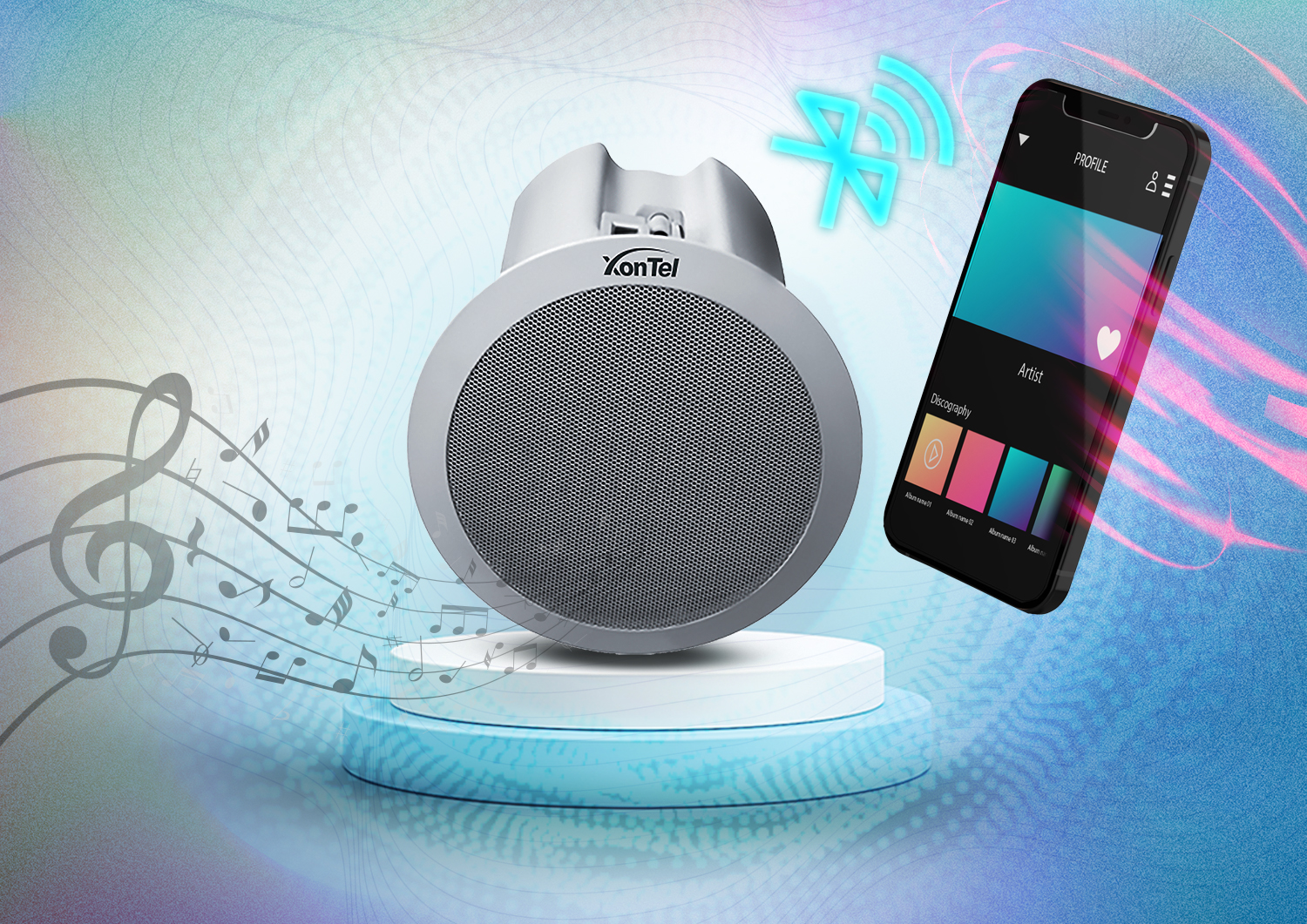
Bluetooth Speaker provides a convenient and easy way to play your music or radio in your home, office or company from handheld devices where your favorite apps and streaming services are installed.

This is a collection of quality wireless speakers, including some ceiling Bluetooth speaker models, that can receive an audio stream via a Bluetooth signal from a connected device such as a smartphone or tablet. All-in ceiling-mounted Bluetooth speakers include a built-in amplifier and require a connection to mains power.

If you want to know more about ceiling Bluetooth speakers and UHF wireless microphones, check out our products where we explain XonTel Bluetooth Speaker and UHF wireless microphone range in detail.

Frequently Asked Questions (FAQ)

What are IP speakers?

IP speakers are audio devices that connect to the internet or an organization’s internal network, and can be integrated with VoIP and PBX systems using the SIP protocol. They are used to broadcast announcements, alerts, and voice messages to a single speaker or a group of speakers within a facility.

How do IP speakers work?

IP speakers work as connection points within a VoIP network, similar to network phones. They can be called from the PBX or sent an audio broadcast, and they play the message or announcement in the designated area according to the system’s settings.

What is the difference between IP speakers and traditional speakers?

Traditional speakers rely on separate audio wiring, amplifiers, and control units, while IP speakers connect directly to the data network and can be managed through the VoIP system. Network-based speakers also allow broadcast zones to be defined and controlled with greater flexibility.

Can IP speakers be integrated with a VoIP system?

Yes, IP speakers can be integrated with compatible VoIP systems using the SIP protocol, functioning as a user or connection point within the system. This allows direct voice paging or sending messages and alerts to specific speakers.
What are Bluetooth ceiling speakers?

Bluetooth ceiling speakers are speakers installed in the ceiling that can wirelessly receive audio from a smartphone or tablet. Some of these speakers have a built-in amplifier, so they only need to be connected to power and paired with the device being used.

What is the difference between IP speakers and Bluetooth speakers?

IP speakers connect to the organization’s network and are typically used for announcements, alerts, and centralized broadcasting within a VoIP system. Bluetooth speakers, on the other hand, connect directly to smartphones or tablets and are mostly used for playing music or audio content over a short range.

What is the benefit of Multicast technology in network speakers?

Multicast technology allows a single audio broadcast to be sent to multiple IP speakers at the same time without creating a separate connection with each speaker. This technology is suitable for public announcements and alerts that need to be played simultaneously across multiple areas.

What are the key features of XonTel's IP ceiling speakers?

XonTel offers a wide and varied range of IP ceiling and wall speakers featuring advanced technical specifications, including:

  • SIP protocol: full compatibility with most common VoIP systems and mass notification systems.
  • Multicast: the ability to broadcast audio simultaneously to multiple speakers at once.
  • PoE / PoE+ technology: easy installation and operation via network cable without needing additional power sources.
  • Superior sound quality (HD Voice): relying on the G.722 standard to transmit clear, high-quality audio.
call2action-En

For more information about XonTel products and services, leave your data and one of our specialists will contact you

What is IVR (Interactive Voice Response)?

Posted on: June 4th, 2022 by xontel_admin

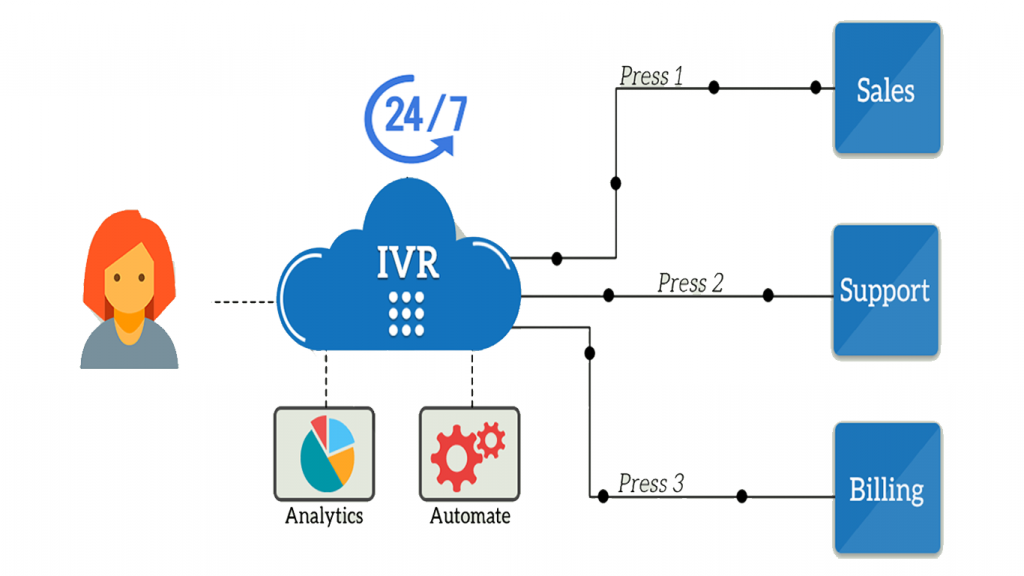
Interactive Voice Response (IVR) is an automated phone system technology that allows incoming callers to access information via a voice response system of pre recorded messages without having to speak to an agent, as well as to utilize menu options via touch tone keypad selection or speech recognition to have their call routed to specific departments or specialists.

IVR Interactive Voice Response

A well designed IVR software system can help increase customer satisfaction and improve contact center operations and KPIs. Particularly during times of high call volume, an effective interactive voice response system can help avoid hold time by helping customers find answers and perform simple tasks themselves. In cases where a customer needs or requests to speak with a person, ivr  Interactive Voice Response technology can help route calls quickly and seamlessly to the best call center agent to address their inquiry.

How Does IVR Work?

There are two primary components of IVRs that enable the computer to understand and process the caller’s requests. One is voice recognition technology, and the other is called Dual-Tone Multi-Frequency signaling (or DTMF).

DTMF signaling occurs between the phone and the computer when callers use the keypad on their phone to select menu options. This touch-tone technology allows intelligent call routing to take place without a human operator.


IVR platforms with voice recognition capabilities enable what’s called Directed Dialogue, which means callers can give verbal responses instead of using the keypad to navigate the menu. For example, an IVR menu might say, “For billing, press three or say ‘billing.’”

Benefits of IVR Systems

Below is a list of the advantages you get when adopting IVR capabilities in your call center workflows:

Reduced Call Numbers

IVR software is a technology that allows customers to save time and resolve their problems faster than before. The less time they spend on the call, the more people your company can serve. Before a customer called a regular infoline and reached a general reception line, IVR now replaces it by introducing call routing. The customer call is instantly answered and directed to the requested department. Even if there is no suitable option for the customer to choose from the IVR menu, the caller can select to talk to agents.

Better Customer Service:

No business can thrive without customers. Therefore, having a good customer experience is imperative. Several studies report that 48% of customers prefer using the phone to resolve their issues.

Interactive Voice Response systems also make clients feel like they’re better attended to. IVR systems ensure that any usual question a customer might have already has a quick response readily available. A good IVR flow provides informative and time-efficient responses, guiding customers through an intuitive menu right to the department that can best resolve their needs.

Ultimately, this means answering a call on the first ring, thereby reducing customer wait time and cutting call volume, and saving time for both the client and company. And because they’re talking to the person who can solve their problems, there’s a much better chance of fixing the problem on the first call.

Offering a Callback

During a high volume of incoming calls, IVR technology has a useful feature that offers callers a callback at a later time to avoid long waiting periods and to prevent worsening the customer service experience. The company agents will have less stress and will be able to fully assist the clients later. IVR software sends the callers’ phone number and possibly preferred date and hour for a callback to agents to dial at a less busy time.

Unlimited Customer Access:

While office hours, holidays, and breaks dictate and limit employee availability, IVR systems are always at the customer’s disposal. They can call your contact center and interact with your IVR systems at any time, even outside your business hours.

This means a customer can receive customer service whenever they need it. While the option of having a live representative is still essential for more complex support requests, an IVR system gives unlimited access to a basic level of customer service.

Create a Better Company Image

If you’re a smaller company, you may not necessarily have the call volume that requires IVR technology, but it can still be a beneficial tool to have. An IVR creates the idea that your company is huge, as one receptionist couldn’t possibly manage your call volume.

For bigger companies, these systems foster a professional image by maintaining consistency in customer service and call volume.

Reduce operational costs.

IVR systems will replace a receptionist or a customer service agent who answers calls and directs calls to agents. They are also very affordable, will increase efficiency and will reduce operational costs, so the ROI is huge.

Increased Productivity

Routing callers to the specific departments or staff members to address their specific needs means less time spent conferring with colleagues to find the right answer or transferring the caller until they get what they need. Time spent on hold or being routed from department to department is a major driver in customer dissatisfaction, and you want to avoid this as much as possible.

Call routing also enables contact center agents to prioritize the most urgent calls, increasing overall efficiency and first-call resolution rates.

With an IVR system, your company will be able to attend to a high volume of calls without long call wait times or stressed receptionists.

Error-Free

High call volumes tend to be a mental strain on call center agents, which can result in misrouted users in addition to long waiting times. This can severely impact your customer service experience. With the IVR system’s automated routing, you greatly reduce the risk of mistakes in directing a customer to where they need to go

When your clients have a good customer experience, all good things will follow for your business. XonTel offers you very powerfull call center system with modern IVR technology. You can tailor your XonTel call center IVR system to your specific needs, use multi-level menus for more in-depth customer choice, and even customize routing behavior and how calls are sent to various groups in your contact center
To find out more information about XonTel call center system and IVR Systems, do not hesitate to contact us.

Frequently Asked Questions (FAQ)

What is Interactive Voice Response (IVR)?

IVR (Interactive Voice Response) is an interactive telephone technology that answers calls and presents the caller with a voice menu containing a set of options. The caller can select the desired service using the phone’s keypad or voice commands, and the system then routes the call to the appropriate department or employee, without needing human intervention.

How does IVR work?

IVR answers the call with a welcome message, then presents the caller with specific options. The caller selects the desired service by pressing a phone button or using their voice, after which the system carries out the specified action or routes the call to the appropriate agent.

What is the difference between a basic auto-attendant and IVR?

A simple auto-attendant may be limited to playing a welcome message or forwarding the call to a specific number. IVR, on the other hand, allows the caller to interact with a multi-option menu and access different services and departments based on their selection.

What are the key benefits IVR offers call centers and businesses?

Relying on an IVR system provides several important operational and marketing advantages, most notably:

  • Reduced operating costs: reducing reliance on receptionists to route calls, providing a low-cost, high-return solution.
  • Round-the-clock service availability (24/7): allowing customers to get answers and complete simple tasks at any time, without being limited by official business hours or holidays.
  • Reduced wait times: routing customers directly to the desired department or giving them a callback option when lines are busy.
  • A professional image: helping small and medium businesses appear as though they have large call centers with a consistent, seamless level of service.

What is DTMF technology in an IVR system?

DTMF technology refers to the tones the phone produces when a number is pressed. The IVR system uses these tones to recognize the caller’s selection, such as pressing 1 for sales or 2 for customer service, then routes the call accordingly.

Can a caller use voice commands with an IVR system?

Yes, some IVR systems can use voice recognition technology, allowing the caller to say the name of the service instead of pressing phone buttons. For example, a caller could say “billing” and the system would route them to the relevant department.

Does IVR offer a callback service?

IVR can be set up to offer a callback option when all lines or agents are busy. The system records the caller’s information or request, and they are called back later instead of being kept waiting in the queue for a long time.

What is meant by smart call routing in an IVR system?

Smart call routing means directing the caller to the appropriate department or group of agents based on their selections, the type of service requested, business hours, the caller’s language, or specific routing rules defined within the system.
call2action-En

For more information about XonTel products and services, leave your data and one of our specialists will contact you

Reasons and Benefits Of Cloud Call Center

Posted on: June 3rd, 2022 by xontel_admin
Reasons-and-Benefits-Of-Cloud-Call-Center

Cloud call center Solution is a fantastic innovation that allows small and big businesses to enjoy the benefits of a call center, but with the cost and convenience of working from home. Today, many businesses are moving their call center to the cloud to stay ahead of the competition, meet and exceed customer expectations, and deliver a distinctive customer experience.
Unlike the traditional call centers that are heavy on hardware, with limitations to customer communication channels, cloud provide flexibility, cost optimization, and scalability on demand – eliminating the need for physical infrastructure.

A Definition of Cloud Call Centers

Hosted in the cloud by a business server, a cloud call center is the hub of an enterprise that handles all customer communications. Because this center is in the cloud, it makes interacting with customers, including all inbound and outbound communication via voice, email, social media, and the internet, accessible from anywhere. Cloud-based call centers require users to have internet access with enough bandwidth to accommodate them. Companies choose to modernize their call centers by choosing those in the cloud because customers increasingly use digital channels to contact businesses.

Benefits of cloud call center:

Fast Deployment:
Fast-Deployment

Cloud call centers provide fast and effective results.

While the installation processes in traditional call centers can take months – set-up teams must provision computing and storage resources, install viable applications, and apply necessary configurations, not to mention test the new installation.

Choosing to move your call center to a cloud-based solution, you receive a ready-to-go product.

Easy to Use:
Easy-to-Use

The use of cloud-based call centers allows users to seamlessly access systems with the help of an internet connection, and deliver high-level customer experiences anywhere anytime.

Cost:

It costs more to maintain traditional call centers.

These costs include but are not limited to, licenses, hardware, installation, maintenance, and technical support.

With the cloud call center, you only need an internet connection, a computer, and a headset.

This spares your business the high costs of traditional set-ups while increasing the efficiency of your company with flexible cloud solutions.

cloud call centers do not have a large upfront hardware or infrastructure cost as long as your organization has a strong internet connection with sufficient bandwidth. Ongoing costs include a monthly subscription.

Integrations:

It is difficult but possible to integrate an on-premise call center with other services, mainly because of licensing and installation. XonTel Call Center features a public API that allows quick and easy integration with business applications such as CRM, ERP, SMS Gateways, Point of Sales Systems (POS), Hotel Management Systems, and Social Media Platforms.

XonTel Call Center is built and hosted within Amazon AWS infrastructure, and as such, our users can easily communicate natively with related tools.

Reporting and analytics:

With the right cloud call center software, you can keep track of incoming and outgoing calls, measure the value of marketing spend, and compile information about call times and agent performance.

Reduce Technical Staff:

Cloud systems provide all the necessary support built into the software.

Accessibility:

Connect to your call center from anywhere in the world with a computer connected to the Internet.
Reach your customers anytime, anywhere from the office or home. Establishing a remote agent the program offers the opportunity to expand your hiring range to the entire country or even globally instead of merely looking for candidates within your office location.

XonTel is one of the pioneers in developing and manufacturing best Cloud call center and Cloud Contact Center solutions, services and various communication products which are used in local networks or via IP Technology (VOIP) in the Middle East, because of its long history in the world of communications in the Arab world.

To find out more information about XonTel call center system and benefits of best cloud call center or request a suitable solution for your company, do not hesitate to contact us.

Frequently Asked Questions (FAQ)

What is a cloud contact center?

A cloud contact center is a system used to manage customer communications through cloud servers instead of installing equipment and software inside the company’s premises. The system allows managing incoming and outgoing calls and digital communication channels from anywhere with a suitable internet connection.

How does a cloud contact center system work?

A cloud contact center system works by hosting calling tools and call management on cloud servers. Employees log into the system using a computer or compatible device and an internet connection, and can then receive and make calls and follow up with customers and reports according to their permissions.

What is the difference between a cloud contact center and a traditional contact center?

A traditional contact center requires installing equipment, software, and infrastructure within the company’s premises, in addition to ongoing maintenance and updates. A cloud contact center, on the other hand, operates over the internet and typically doesn’t require complex local setup, making it faster to deploy and more flexible to manage and scale.

What are the key benefits of moving to cloud contact centers for businesses?

Cloud systems offer substantial benefits for business development, most notably:

  • Rapid deployment: a ready-to-use system without needing months of complex installation and setup.
  • Cost reduction: eliminating the need for expensive equipment, with costs limited to an internet connection and simple devices (computer and headset).
  • Easy access: the ability to manage the center and communicate with customers from anywhere in the world (whether from the office or home).
  • Fewer technical staff needed: cloud systems provide built-in support within the software without needing a large maintenance team and infrastructure.

Does a cloud contact center reduce operating costs?

A cloud contact center can help reduce the costs of purchasing equipment, local licenses, installation, and maintenance. The cost typically depends on the subscription, services, and number of users required, rather than bearing large upfront investments in traditional infrastructure.

Does a cloud contact center support working from home?

Yes, a cloud contact center allows employees to receive and make calls and access work tools from home or from different branches and locations. This helps companies manage distributed teams and maintain continuity of customer communication without being tied to a single location.

What systems can be integrated with a contact center system?

A contact center system can be integrated with a number of business applications, such as CRM systems, ERP systems, SMS gateways, point-of-sale systems, hotel management systems, and social media platforms, depending on the available integration interfaces.

What reports do cloud contact centers provide?

Cloud contact centers can provide reports on incoming and outgoing calls, missed calls, wait times, call durations, agent performance, peak times, and service levels. These reports help management improve staff distribution and increase operational efficiency.

call2action-En

For more information about XonTel products and services, leave your data and one of our specialists will contact you

How do Call Center Systems operate?

Posted on: April 19th, 2022 by xontel_admin

By Internet, telecommunication technology development, and the great need to call center system, call center solution , data transmission speeds development, the emergence of giant multinational companies, and even companies with branches in different countries, the communication systems within these companies have become one of the main pillars in customer service, dealing with them and the link between the company and its customers, which lead to increased reliance on call center systems and call center solution, so let’s explain in detail what is a call center system and call center solution ?

call center solution

What is a call center system ?

The call center software or call center solution is a system that allows companies to manage all communication channels with customers such as phone calls, e-mail, live chat, SMS and social media. 

The call center software can be used as part of customer service and help employees respond to customer inquiries and solve their problems.

Call center systems or call center solution has many shapes and functions, such as:

Call-Details

Call Details & Call Analysis

Custom-dashboard

Billing system

automatic dialing software

Custom dashboards

Computer telephony integration

Automatic Call Distributor

Welcome messages (IVR)

For this reasone, you should Know the importance and understand the call center system and call center solution features before deciding to invest in it.

So, to help you get a better idea of ​​the suitable call system for your business, We will discuss all the information you might need to know in this article.

Thanks to the development of Voice over Internet Protocol (VoIP) and Cloud Computing, the hosted call center system or cloud call center requires only the basic components like a computer, a browser and an IP phone.

Using a call center system, you can now easily set up your own contact center, which can monitor the quality of the service provided to the customer, record calls via call recording system, analyze the content of conversations, manage queues, online calling back and social media support.

1- What are the types of call center or call center systems?

The purpose of the call center systems is helping companies to manage customer communications from any available channel with the company.

The call center program can be categorized into the following:

  • What are call center types?

    Company premises call center systems:

    Usually, it is sold with a license to use on time where the company employee operates, installs and maintains the call center.

    It requires installing the devices in all branches of your company and connecting them with each others

    It is the most professional type of call center, although it is also the most expensive.

  • 1- ما هي أنواع أنظمة الكول سنتر أو مركز الاتصال؟

    Cloud Computing Call Center Systems:

    Its idea is to have a call center system on the cloud

    It could be accessed from anywhere without the need to download or install any program

2- What do call centers provide?

To answer this question, we have to understand the main purpose and function of a call center.

  • The system allows companies to provide support, fully communicate with customers and respond to their inquiries.
  • It is the easiest way for better customer communication with your company, to allow them to interact with you and your products or services.
  • Communication with customers is carried out through the call center system in two directions,  from the customer to your company or from  your company to the customer, for purposes such as Marketing, offers, surveys, deals, discounts, etc.

To do all of the above and more, the call center system was designed with functionality to facilitate this two-way communication.

You can benefit from features like voicemail, email, support ticket, chat, conference and more.

For comprehensive information about clients, Call center systems provide integration and compatibility capabilities with CRMs, e-commerce or marketing platforms, and chating systems.

For example, the call center system can show you the following:

  • Caller’s previous purchase history, voicemails, notes, cases, phone calls with the company, Chat, support tickets, and more.
  • It allows you to provide better service, streamline workflow, and eliminate redundant information.

How does Call Center System operates?

Usually, call center software facilitates the following steps:

  • The system recognizes customers by checking their data in the database.

If the caller is not in the database, it will usually register the new caller client in the company’s databases to identify him in the future.

  • If the customer is already registered in the database, the system will show to the call center agent all his previous logs by receiving the call, and provide the agent with sufficient information about the client, including the client’s previous logs on the system, before dealing with him.
  • When the caller responds to the IVR, it will direct the call to the correct preset queue.
  • When the call enters the queue, all agents who are assigned to the queue can pick up the call manually. Or it automatically assigned based on an automated call forwarding system.
  • When the call is received and the customer answered, the call center agent can assist the customer, and answer all his inquiries or solve all his problems
  • If the call center agent cannot solve the customer’s problem during the call, The system allows him to save what has been accessed with the client, To reuse it later to follow up solving the customer’s problem.
  • Based on the customer’s response. The agent can indicate the status of the ticket as open, closed, resolved, or requires follow-up.
  • When the ticket status is marked as “Closed”, an automated survey call or email is sent to the customer for his feedback. The company can use its results for marketing strategies or other purposes.

As you can see from the previous steps, the call center system has simplified communication with the customer.

It makes the mission of a call center agent easier and less complex, ensuring efficiency and productivity, and enhancing quality and prompt customer support.

3- What are the call center system features?

IVR
IVR Welcome Voice Messages:

Which helps you direct the caller to the relevant department or the required service.

working-hours
Call scheduling system:

It allows you to set the working hours in which you receive your customers’ calls, and outside working hours you can record a voice message to the customer by leaving his inquiry and he will be answered later.

2-way-communication-call-center-solution
Call forwarding feature:

You can transfer calls to the relevant department to deal and communicate with the customer well.

unified-number
Unified number

The possibility of linking between short commercial numbers, landlines and internal lines for employees.

follow-up
Comprehensive and accurate calls reports:

system allows you via call recording system to record all customers’ data, requests or complaints with high accuracy. It helps in evaluating the importance of each case individually and the priority of responding to it (high, medium or low).

Recording
Call recording system:

Call recording system is allowing you to recored all incoming and outgoing calls are recorded to ensure the quality of service and its development

Certificate
Agent evaluation system:

An automated agent performance evaluation system after the end of each call.

By redirecting the client to this evaluation to test the employee’s level according to the clients opinion.

unified-number
Unified Communication Channel (OMNI Channel):

You can view all your client’s history and monitor the number of calls and complaints and requests submitted by him on all communication channels.

Certificate
Social media integration:

You can link  the company’s accounts in social media platforms (WhatsApp – Instagram – Facebook – Messenger or Twitter)

Certificate
Public Portal

Enable your customers to register and follow up on their complaints or inquiries through the public ticketing portal.

XonTel is the pioneer of companies in the Arab world that provide call center solutions and call center software for the business sector of all sizes.

To find out more information about XonTel call center system call center software or request a suitable one for your company, do not hesitate to contact us. 

Frequently Asked Questions (FAQ)

What is a call center system?

A call center system is a system that helps companies manage incoming and outgoing calls and organize communication with customers. It can offer features such as auto-attendant, call distribution, recording, queue management, reporting, and linking customer data to employees.

What types of call center systems are available for businesses?

Call center systems are mainly divided into two types:

  • On-premise call center: a system that requires installing devices, equipment, and software within the company’s branches, offering maximum control and professionalism but at the highest cost.
  • Cloud contact center: a system based on cloud computing and VoIP technology, accessible from anywhere without needing to install complex equipment, featuring lower cost and easier management.

What are the key features of a modern call center system?

A call center offers a wide range of advanced features to raise customer service efficiency, most notably:

  • Interactive Voice Response (IVR): welcome messages and smart routing of the customer to the appropriate department.
  • Call recording and comprehensive reporting: to monitor performance, ensure service quality, and extract accurate daily statistics.
  • Omnichannel: to unify all customer interactions and complaints from different platforms in one place.
  • Employee performance evaluation: an automated system to assess an employee’s service level based on customer feedback after the call ends.
  • Social media platform integration: to manage WhatsApp, Instagram, and Facebook messages through a unified interface.

What companies need a call center system?

A call center system suits companies that receive a large number of customer calls and inquiries, such as e-commerce and retail companies, hospitals, banks, service companies, educational institutions, hotels, and delivery and technical support companies.

Can a call center system be linked to a CRM program?

Yes, a call center system can be linked to a CRM program to display customer data, call history, and previous requests when contacting them. This helps the employee understand the customer’s needs more quickly, reduces repeated data entry, and improves follow-up and service quality.

What is meant by the omnichannel feature?

The omnichannel feature allows managing customer communication via phone, email, chat, WhatsApp, and social media platforms from a single interface. It also helps the employee view the customer’s communication history across different channels without losing the context of the conversation.

What reports does a call center system provide?

A call center system provides reports on the number of incoming and outgoing calls, missed calls, average wait and response time, call duration, employee performance, service level, and peak times. These reports help management improve staff distribution and make better decisions.

What is the function of IVR (auto-attendant) in a call center system?

IVR helps the caller reach the desired department or service through a pre-set voice menu. This helps reduce misrouted calls, organize calls, and speed up the customer’s access to the right employee.

call2action-En

For more information about XonTel products and services, leave your data and one of our specialists will contact you

Call Center Terminology – part 2

Posted on: April 14th, 2022 by xontel_admin

In the previous article, we reviewed the first part of the most important call center terminology, and in this article we continue to simplify and explain the second part of the most important call center terminology ( CRM – IVR – ACD – Call Recording ):

Explanation of Call Center Terminology

Frequently Asked Questions (FAQ)

What is Interactive Voice Response (IVR)?

Interactive Voice Response, or IVR, is a system that lets the caller choose the required service or department through a pre-prepared voice menu. The system asks the customer to press a specific number, then determines the call’s path and routes it to the appropriate department or agent.

What is meant by auto-attendant in a call center system?

Auto-attendant is a feature that answers calls with a welcome message, then presents the caller with a set of options to reach the desired service. Auto-attendant helps organize calls, reduce misrouted transfers, and save the time of both customers and customer service employees.

What is meant by Customer Relationship Management (CRM)?

Customer Relationship Management, or CRM, is a system that helps companies organize customer data, classify customers, and keep a record of their communication with the company. It can include the customer’s data, previous calls, complaints, notes, and related requests and attachments.

How does CRM help the call center team?

CRM helps a call center employee view the customer’s data, call history, and previous requests during the call. This allows the employee to quickly understand the customer’s needs, provide more accurate service, and reduce the need to repeat data collection on each contact.

What are the benefits of the call recording feature in a call center?

Call recording allows the system to save all outgoing and incoming calls for retrieval when needed. Its importance lies in verifying the accuracy of requests, monitoring the quality of service provided, and evaluating agents’ overall performance to ensure continuous improvement (with the customer needing to be informed in advance that the call is being recorded).

What is an Automatic Call Distributor (ACD)?

An Automatic Call Distributor, or ACD, is a system responsible for receiving incoming calls and distributing them to available agents according to specific rules. It helps organize call flow, reduce wait times, and improve the use of call center resources.

How does the automatic call distributor choose the right agent?

The automatic call distributor can select an agent based on several factors, such as agent status, skills, the department responsible for the service, wait time, customer priority, and the number of calls each employee has handled.

How do IVR, CRM, ACD, and call recording technologies work together?

The IVR system receives the call and determines the customer’s need, then the automatic call distributor routes it to the appropriate agent. After that, the CRM system displays the customer’s data and communication history, while the call recording feature allows the call to be reviewed and the quality of service evaluated later.

call2action-En

For more information about XonTel products and services, leave your data and one of our specialists will contact you